Filters you can trust. Pure water every day.
In cart {{totalProductsCount}} item(s)
Your cart is empty
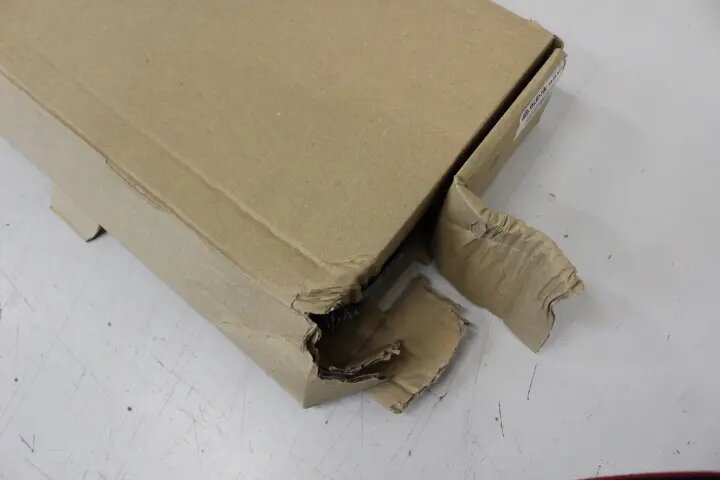
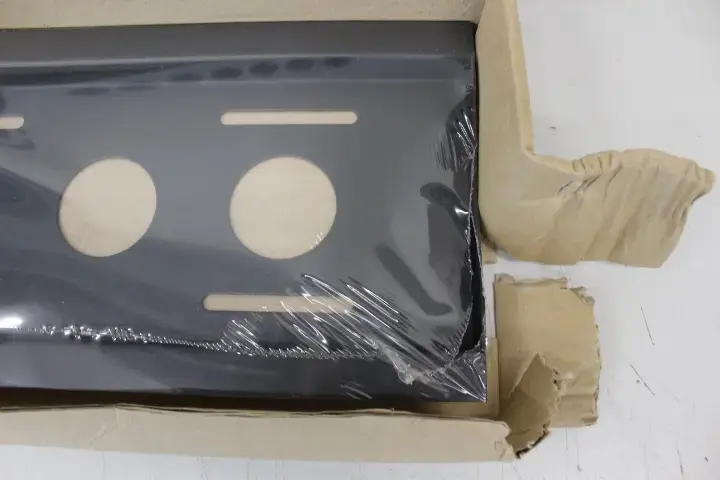
Wall mount EDBAK TWB2C-B for 65–86" screens, tilt -10/+5°, max load 80 kg, VESA 100x100–800x400 mm, black (damaged packaging)
The EDBAK TWB2C-B is a universal tilt wall mount designed for large flat screens from 65 to 86 inches. It supports VESA patterns from 100x100 up to 800x400 mm and accommodates displays up to 80 kg. The bracket keeps the screen at a fixed 77 mm distance from the wall and provides a tilt adjustment range of -10° to +5°. Constructed for installation on concrete, plaster and wooden walls, the package includes screen mounting screws and is suitable for offices, conference rooms and public areas. Note: product is sold with damaged packaging.
The TWB2C-B offers a rigid metal construction rated for up to 80 kg, broad VESA compatibility and a compact fixed profile that places the display 77 mm from the wall. Its tilt range allows for simple vertical angle correction to reduce glare or improve sightlines. The mount ships with mounting hardware for the screen and is compatible with common building substrates (concrete, plaster, wood), making installation straightforward for professional or experienced DIY installers. A five-year warranty covers manufacturing defects.
Position the mount on a suitable section of wall and mark anchor points according to the VESA pattern of the display and the mount’s mounting plate. Use appropriate anchors and fasteners for the wall material (concrete anchors, plaster anchors with reinforced backing, or wood screws into studs). Attach the mounting brackets to the television using the supplied screen screws, lift and secure the display to the wall plate, then verify the connection is locked and stable. Adjust tilt within the -10° to +5° range to set the desired viewing angle and tighten any tilt adjustment screws to hold position.
Verify the TV’s weight and VESA pattern before installation; do not exceed the 80 kg capacity or attempt installation on unsupported wall materials. When mounting on plaster or hollow walls, ensure suitable backing or use specialist anchors. For large screens, use two or more trained people during installation to safely lift and align the display. Periodically check mounting hardware for tightness and inspect the wall fixings for signs of stress.
{{highlightedFeature.featureTitle}}:
{{getProductFeatureValueById(product, highlightedFeature.featureId)}}