Jaudīgas EcoFlow stacijas enerģijai jebkurā vietā!

{{ totalProductsCount }}
Grozā {{totalProductsCount}} prece(s)
Summa:
{{sum | formatAmount}}
Jūsu grozs ir tukšs
Produkta jautājumi par Monitors Poindus 10.4" True-Flat Display VGA M365ND OTEK sys
Īss preces apraksts:
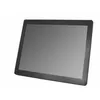
Poindus 10.4" monitors features a True-Flat Display with VGA input. The screen size is 10.4 inches, providing a compact solution for various applications. The display technology ensures clarity and precision in visuals, making it suitable for industrial and commercial environments. The model M365ND is designed for durability and reliability, ensuring long-term performance in demanding settings.
Ražotājs:
OTEK sys
Kategorija:
Monitori
Uzdodiet jautājumu par produktu
Pārdevējs, zīmola pārstāvis vai lietotājs, kurš iegādājās produktu, Jums atbildēs. Mēs nosūtīsim Jums paziņojumu, kad tiks saņemta atbilde.
Anonīmi
21.02.2025
Jautājums:
How do I rotate the screen on this type of display ? Cant find the right setting
Atbilde:
Hello!
To rotate the screen on the Poindus 10.4" True-Flat Display (VGA connection), try the following methods:
Method 1: Use Windows Display Settings
Right-click on the desktop and select Display settings.
Scroll down to Display orientation.
Select Portrait, Landscape (flipped), or another rotation option.
Click Apply and OK.
Method 2: Use Keyboard Shortcut
Press:
Ctrl + Alt + Arrow keys (Up, Down, Left, Right) to rotate the screen instantly.
(If this doesn’t work, your system may have disabled this shortcut.)
Method 3: Graphics Driver Control Panel
Open Intel Graphics Control Panel or NVIDIA Control Panel.
Find Display or Screen Rotation settings.
Choose the desired rotation and apply the changes.
Method 4: Adjust Monitor OSD (On-Screen Display) Settings
Some Poindus displays allow rotation via built-in settings:
Press the Menu button on the monitor.
Navigate to Display Settings (if available).
Look for Rotation or Orientation options.
If none of these methods work, let me know your operating system and any specific error messages you’re seeing!
Regards, AiO
Biežāk uzdotie jautājumi
Cik maksā un vai ir pieejams pārdošanai Monitors Poindus 10.4"?
Cena ir 247.49 € (spēkā publicēšanas brīdī un jau ietver visus nodokļus). Prece ir pieejama pasūtīšanai — noliktavā ir 13 gab., un jūs varat veikt pirkumu jau tagad ar piegādi pa visu Latviju un Eiropu vai izvēlēties saņemt pasūtījumu Rīgas izsniegšanas punktā. Mēs piedāvājam izdevīgus pirkuma nosacījumus, tostarp iespēju sadalīt maksājumu ērtos ikmēneša maksājumos. Pieejamība un cena tiek atjauninātas reāllaikā, tāpēc iesakām veikt pasūtījumu savlaicīgi.
Ja es pasūtīšu šo produktu šodien, kad saņemšu pasūtījumu?
Veicot pasūtījumu šodien, piegāde būs maksimāli ātra un ērta. Pasūtījumu varēsiet saņemt 18.08.2026 Rīgas izsniegšanas punktā vai izvēlēties piegādi pa visu Latviju un Eiropu. Mēs rūpīgi pārbaudām katru pirkumu un iepakojam to drošai transportēšanai.
Kādi ir apmaksas veidi?
AiO.lv piedāvā vairākus apmaksas veidus: Pārskaitījums. Visas transakcijas ir drošas un šifrētas.
Vai šo produktu var iegādāties uzņēmumam (ar PVN)?
Jā. AiO.lv strādā ar juridiskām personām visā Latvijā un Eiropā. Preces cena jau ietver PVN. Atsevišķām preču kategorijām, kā arī uzņēmumiem no citām ES valstīm ar derīgu PVN numuru, var tikt piemērota 0% PVN likme. Rēķinu izrakstām uzreiz pēc pasūtījuma noformēšanas, atbalstām e-rēķinus BIS sistēmā un automātiski sagatavojam pavaddokumentus. Pirkumu uz uzņēmumu var noformēt tiešsaistē — pasūtījuma veikšanas laikā izvēlieties uzņēmuma profilu un bezskaidras naudas apmaksas veidu.
Kāds ir garantijas termiņš?
Uz OTEK sys produkciju tiek nodrošināta oficiālā garantija uz 2 gadi. Tā sedz visus ražošanas defektus un bojājumus, kas var rasties ierīces lietošanas laikā. Garantija ir spēkā visos autorizētajos OTEK sys servisa centros un caur AiO.lv
Vai preci var atgriezt pēc iegādes?
Jā, jūs varat atgriezt preci 14 dienu laikā no iegādes brīža, ja iegāde veikta kā patērētājam (nevis juridiskai personai). Atgriešana iespējama bez iemesla paskaidrošanas — galvenais, lai prece saglabā savu preces izskatu un pilnu komplektāciju. Mēs padarīsim procesu pēc iespējas vienkāršāku un ērtāku: pietiek sazināties ar mūsu klientu atbalsta dienestu, un mēs palīdzēsim noformēt atgriešanu.
Kur vērsties garantijas gadījumā?
Par garantijas jautājumiem jūs varat vērsties AiO.lv (SIA VSPRO) klientu atbalsta dienestā. Mēs palīdzēsim ar konsultāciju, garantijas gadījuma noformēšanu un sadarbību ar sertificētiem servisa centriem.


