


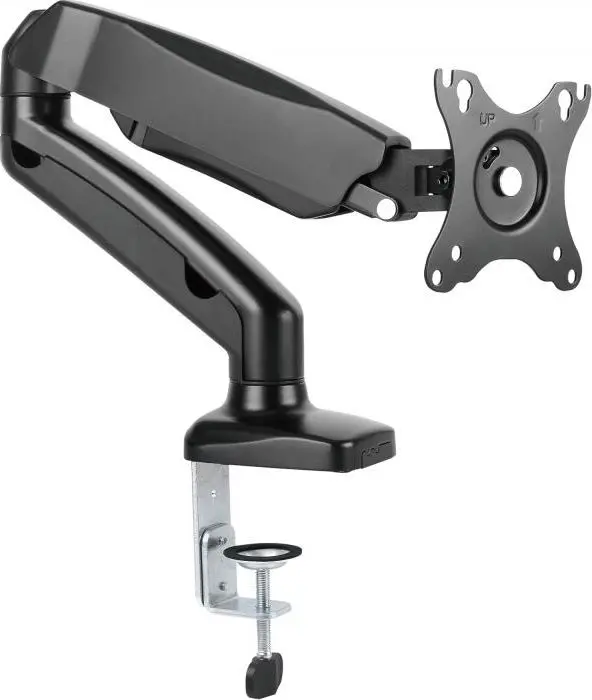
Monitor Mount Cabletech UCH0208-1 for 13–27 inch screens, height-adjustable arm

Short description

Cheapest delivery:
Unisend LV
Product information
Description
Cabletech UCH0208-1 is a height-adjustable monitor mount compatible with 13–27 inch screens. It secures a flat-panel display to a desk or table and enables vertical adjustment of the screen position to support ergonomic viewing. The design focuses on simple attachment, stable support and desk space optimization for home offices, workplaces and study areas.
Advantages
The mount provides smooth height adjustment and firm clamping for a range of monitor sizes. Its compact footprint frees desk surface space while maintaining a stable screen position. Built from materials chosen for durability and steady support, the arm reduces the need for frequent repositioning and helps keep cables routed neatly. Installation and repositioning require only common hand tools and basic alignment.
Suitable for
- Home office workstations
- Corporate desks and open-plan offices
- Study desks and student rooms
- Multi-monitor setups using separate arms for each screen
- Work areas where improved screen height and posture are required
Key specifications
- Screen compatibility: 13–27 inches
- Height adjustment: vertical travel on the arm mechanism
- Mounting method: desk clamp or through-desk installation (depending on desk thickness and setup)
- VESA compatibility: standard VESA mounting pattern support for flat-panel monitors
- Construction: metal arm with finish designed for office use
- Cable management: integrated or routed cable channel along the arm
- Load capacity: designed for typical 13–27 inch monitor weights
How to use
Attach the mount to the desk surface following the included assembly steps: secure the clamp or through-desk base, mount the VESA plate to the monitor, and hang the monitor on the arm. Adjust the vertical position by loosening the adjustment mechanism, moving the display to the desired height and re-tightening. Route display and power cables into the cable channel to keep them organized. Periodically check fasteners and adjustment tension and re-tighten if necessary to maintain stable positioning.
Usage recommendations
Position the monitor so the top of the screen is at or slightly below eye level when seated and at an arm’s length distance to reduce neck and eye strain. Verify desk thickness and clearance before installation and confirm the monitor weight is within the arm’s supported load range. For multi-monitor installations, mount each screen on a separate arm and align heights carefully for consistent viewing angles.


