


Product specification Dell SSDR 480G SATA6G 2.5 INTEL-WV 7GPY7-RFB
Description
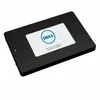
Dell SSDR 480G SATA6G 2.5 INTEL-WV (MPN 7GPY7-RFB, EAN 5706998777348) is a 2.5-inch SATA6G solid-state drive with 480GB of usable storage. Equipped with an Intel-based controller, this Dell SSD delivers improved data transfer responsiveness and consistent performance for system drives and data storage. The drive follows the standard 2.5" SATA form factor and is suitable for desktop, workstation, and server applications that accept SATA 6Gb/s storage devices.
Advantages
The Intel controller in the Dell SSDR 480G enhances read/write efficiency and helps maintain performance under typical workloads. The SATA6G interface supports up to 6 Gb/s link speed for compatible hosts, enabling faster boot times and reduced application load delays compared with traditional HDDs. As a 2.5-inch internal SSD, it provides lower latency, silent operation, and improved shock resistance versus spinning media.
Suitable for
- Operating system installation and system boot drive
- Office productivity and business applications
- Workstation storage for project files and software
- Data caching and read-intensive server workloads
- Upgrading laptops or desktops from HDD to SSD
Key specifications
- Brand: Dell
- Model / MPN: SSDR 480G (7GPY7-RFB)
- Capacity: 480GB
- Form factor: 2.5 inch
- Interface: SATA 6 Gb/s (SATA6G)
- Controller: Intel-based controller
- Intended use: Internal SSD for desktops, laptops and servers
- EAN: 5706998777348
How to use
Install the Dell SSDR 480G into a compatible 2.5" drive bay or adapter and connect it to a SATA 6 Gb/s port on the host motherboard using a standard SATA data cable and power connector. Initialize and format the drive using the operating system disk management tools or the target platform installer. For system migrations, use disk-cloning software to transfer the operating system and data from the original drive to the SSD. Ensure the host BIOS/UEFI is configured to recognize SATA devices and, if available, enable AHCI mode for optimal performance.
Usage recommendations
For sustained performance and longevity, avoid filling the drive to full capacity; maintain at least 10–20% free space for internal housekeeping. Keep firmware up to date by applying manufacturer updates when provided by Dell or the system integrator. Use regular backups for critical data and follow standard static-handling precautions when installing the 2.5" Dell SSDR 480G.


