


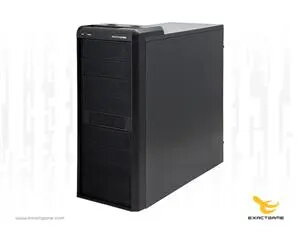
Computer case Exact9000 Midi Tower Black
Short description

Cheapest delivery:
Unisend LV
Product information
Description
The Exact9000 Midi Tower Black is a mid-tower computer case with a minimalist black exterior and internal layout designed to accommodate standard desktop components. It supports ATX and micro-ATX motherboards and provides space for multiple storage drives and expansion cards while maintaining a compact footprint suitable for desks or small workspaces.
Advantages
The case offers a balance of component capacity and airflow management, with internal bays for several storage devices and front-panel USB 3.0 ports for fast data transfer and peripheral connectivity. Its mid-tower form factor allows for standard power supplies and multiple expansion slots, while the black finish and clean lines fit a wide range of build styles from professional workstations to gaming rigs.
Suitable for
- Building a mid-range or high-performance gaming PC
- Office and productivity workstations requiring multiple drives
- Home or small studio setups where a compact tower is preferred
- Upgrading an existing system to support ATX or micro-ATX motherboards
Key specifications
- Form factor: Midi tower compatible with ATX and micro-ATX motherboards
- Front I/O: USB 3.0 ports for high-speed connectivity
- Drive bays: Multiple internal bays for 3.5" and 2.5" storage drives
- Expansion: Several PCIe expansion slots for graphics cards and add-in cards
- Cooling: Designed for efficient airflow with support for multiple fans
- Power supply: Standard ATX power supply support
How to use
Install the motherboard onto the pre-drilled standoffs that match ATX or micro-ATX layouts, secure the power supply in the designated compartment, and mount storage drives into the internal bays. Route cables to the rear or behind the motherboard tray where possible to improve airflow. Connect front-panel USB 3.0 and other I/O headers to the corresponding motherboard connectors, then install expansion cards into the available PCIe slots. After components are secured, verify that fans are oriented for optimal intake and exhaust before powering on the system.
Usage recommendations
For best thermal performance, use a combination of intake and exhaust fans and avoid blocking front vents. Choose low-profile or appropriately sized cooling solutions for tight GPU or CPU clearance. Regularly clean dust filters and internal surfaces to maintain airflow and component longevity.


