


Wired USB Keyboard Genius Ergo KB-700 — CZ-SK layout, Black
Short description


Cheapest delivery:
Unisend LV
Product information
Description
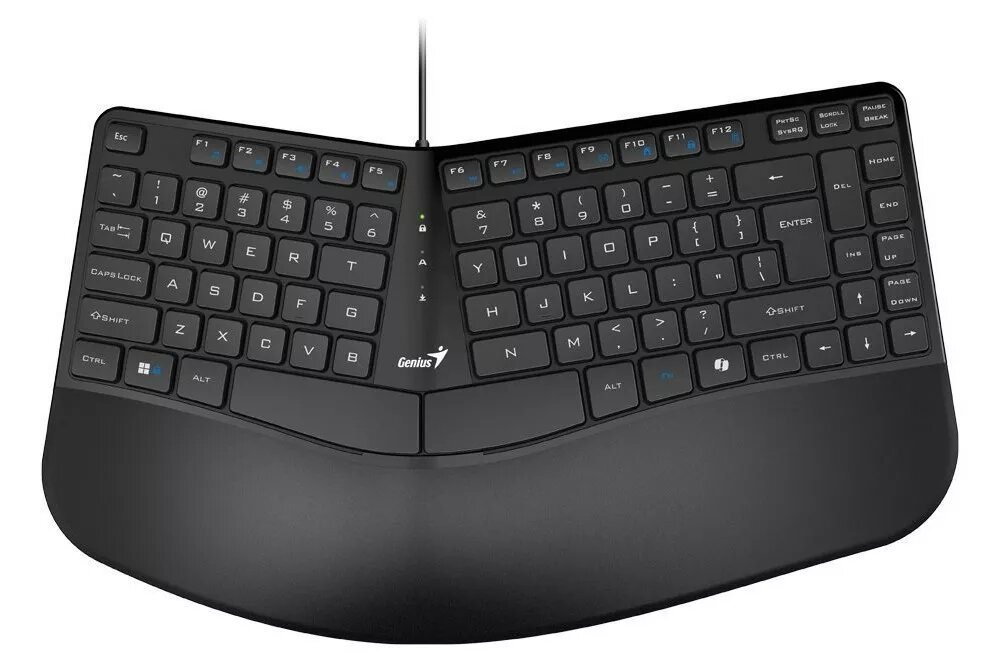
Genius Ergo KB-700 is a wired USB keyboard with a Czech-Slovak (CZ-SK) layout in black. The keyboard connects via USB for plug-and-play operation and features a full-size keyset designed for everyday office tasks, typing and general computing. Its layout follows standard CZ-SK key placement and includes ergonomically arranged keys intended to reduce hand movement during prolonged use. No additional software is required for basic functionality.
Advantages
The Genius Ergo KB-700 provides a stable wired connection through USB, ensuring consistent signal without latency or pairing issues. Full-size keys and a familiar CZ-SK layout enable efficient typing and quick adaptation for users accustomed to Czech or Slovak keyboards. The ergonomic key placement aims to improve typing comfort during extended sessions, while the black finish offers a neutral appearance suitable for professional environments.
Suitable for
- Office work and data entry where a CZ-SK layout is required
- Everyday home computing and web browsing
- Typing-intensive tasks such as document creation and email correspondence
- Users who prefer a simple plug-and-play wired keyboard without extra software
Key specifications
- Connection type: Wired USB plug-and-play
- Keyboard layout: Czech-Slovak (CZ-SK), full-size
- Color: Black
- Key type: Standard membrane-style full-size keys
- Compatibility: Compatible with operating systems supporting standard USB keyboards
How to use
Connect the keyboard to an available USB port on your computer. The operating system should automatically detect the device and install any required generic drivers for immediate use. Position the keyboard on a flat surface at a comfortable distance, adjust your chair and screen height to maintain a natural posture, and begin typing. For special characters or regional settings, verify the system keyboard input language is set to Czech or Slovak in your operating system settings.
Usage recommendations
Place the keyboard on a stable surface and keep the cable routed to avoid tension or snagging. For prolonged typing sessions, use an appropriate wrist rest and take regular short breaks to reduce strain. If special characters are not recognized, confirm the OS input language matches the CZ-SK layout.


