


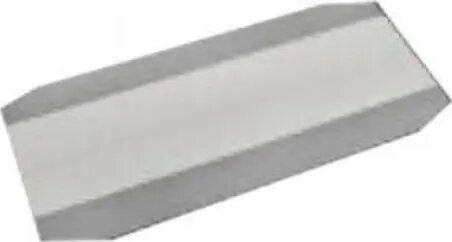
Paper Sheet Cassette by HP, replacement sheet cassette for compatible HP printers
Offer for a legal entity, non-cash payment.
Short description


Cheapest delivery:
Unisend LV
Product information
Description
HP Paper Sheet Cassette is a replacement paper tray designed for compatible HP printers. It functions as a paper input cassette to hold and feed sheets reliably, restoring correct paper alignment and tray operation in office or home printing environments. The cassette is intended to replace damaged or worn trays so the printer can maintain continuous, consistent feeding and reduce misfeeds and jams.
Advantages
The replacement sheet cassette provides stable paper support and consistent alignment to improve feed reliability. It is made to fit compatible HP printers and restore original tray geometry without requiring complex adjustments. Using a dedicated replacement cassette helps reduce paper jams, supports different paper weights within printer specifications, and extends the useful life of the printer by maintaining correct paper handling.
Suitable for
- Replacing a cracked, warped or otherwise damaged paper tray in a compatible HP printer
- Restoring reliable paper feeding in office multifunction printers and desktop laser or ink models that accept the cassette
- Maintaining consistent paper alignment when printing large or recurring document batches
- Home printing setups requiring a stable input tray for varied paper types
Key specifications
- Function: replacement paper input cassette (tray)
- Compatibility: designed for compatible HP printers that accept this style of paper cassette
- Material: rigid plastic construction for dimensional stability and wear resistance
- Paper handling: supports standard cut-sheet paper formats compatible with the printer; supports typical office paper weights within printer specifications
- Capacity: holds a standard cassette load as specified by the compatible printer model
- Mounting: drop-in replacement that aligns with existing tray guides and printer feed mechanisms
How to use
Remove the old or damaged cassette from the printer following the manufacturer’s instructions, then slide the replacement HP Paper Sheet Cassette into the tray slot until it clicks or sits firmly in place. Load paper according to the printer’s recommended orientation and maximum capacity, adjust paper guides to fit the paper stack, and verify paper type and size settings in the printer driver or control panel before printing. After installation, run a test print or paper alignment check to confirm reliable feeding.
Usage recommendations
Use the replacement cassette with paper types and weights supported by your printer, avoid overfilling the tray, and keep the cassette and paper clean and dry to reduce the risk of misfeeds. If frequent jams persist after installation, inspect the cassette for damage, ensure it is seated correctly, and consult the printer’s service documentation or authorized service provider.
Stock data
| Warehouse | Stock | Delivery to the store | Store Price | |
| WH357 | 45 | 07.12.2026 | 5.99 € | Add to cart |
- 5.99 €Stock: 45Delivery Date: 07.12.2026Warehouse: WH357Add to cart
| Warehouse | Stock | Delivery to the store | Store Price | |
| EU6 | 41 | 06.04.2027 | 2.99 € | Add to cart |
- 2.99 €Stock: 41Delivery Date: 06.04.2027Warehouse: EU6Add to cart


