


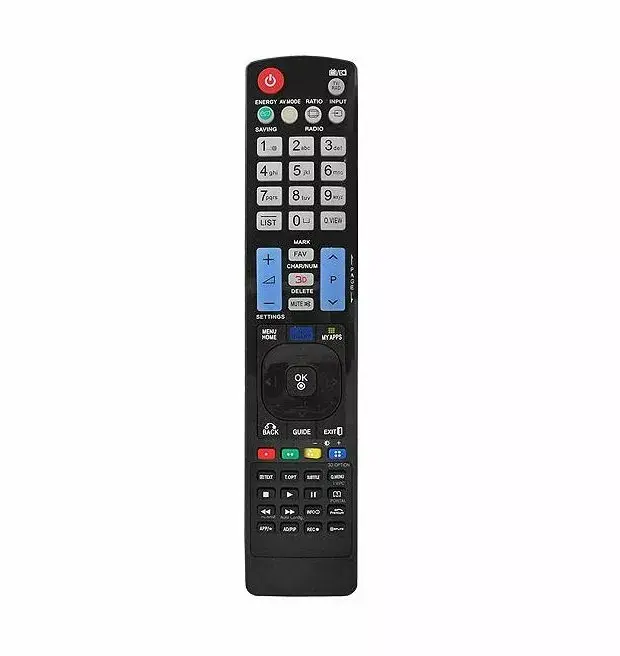
HQ LXP041 Universal Full Function Analog Remote Control for LG 3D TV Black
Short description


Cheapest delivery:
Unisend LV
Product information
Description
The HQ LXP041 Universal Full Function Analog Remote Control for LG 3D TV Black is a reliable replacement device designed to operate seamlessly with a wide range of LG television and Smart 3D TV models. Built to match the exact shape and form of original manufacturer controllers, this analog remote control ensures familiar handling and straightforward access to all standard television features. It serves as an ideal solution for replacing lost, broken, or worn-out units without the need for complex setup procedures.
Advantages
This replacement remote control offers full functional compatibility with designated LG televisions, ensuring that all basic and advanced menu navigation works exactly as intended by the manufacturer. Because it operates as a direct analog replacement requiring no programming, users can simply insert batteries and begin using the device immediately. The classic black finish matches standard home entertainment aesthetics, while the ergonomic layout provides comfortable daily operation for households and media rooms.
Suitable for
- Replacing lost or broken original LG TV controllers
- Operating standard LG television models and Smart 3D TV series
- Home entertainment setups requiring a ready-to-use controller without technical configuration
When it may not be suitable
This device may not be suitable if your specific television model is not included in the manufacturer compatibility list or if you require a universal programmable remote capable of controlling multiple non-LG brand devices simultaneously. It is also not intended for advanced smart home automation systems that require RF or smartphone app integration.
Key specifications
- Brand: HQ
- Color: Black
- Device type: Universal analog remote control
- Compatibility: LG TV and Smart 3D TV models
- Configuration: Plug and play (no programming required)
How to use
To begin using the remote control, insert the required batteries into the compartment located on the back of the device, observing correct polarity. Verify that your television model matches the compatible list provided by the manufacturer. Point the infrared transmitter directly toward the television sensor and press the desired function buttons to operate your TV settings, volume, channels, and menu options.
What to consider before purchase
- Verify your specific LG TV model number against the compatible list before purchasing
- Check that you have compatible batteries available for installation
- Confirm whether your original remote functions match the layout of this analog replacement
Usage recommendations: For optimal performance and longevity, replace old batteries with fresh ones of the same type and remove them if the remote control will not be used for an extended period. Avoid exposing the unit to moisture, direct sunlight, or heavy impacts to protect the internal infrared components.


