


Product specification Network Card Inter-Tech ST-729 Internal Ethernet 1000 Mbit/s
Description
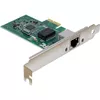
The Inter-Tech ST-729 Internal Ethernet 1000 Mbit/s is an internal network card designed to provide wired Gigabit connectivity for desktop systems. It connects via a PCI Express slot and delivers up to 1000 Mbit/s theoretical throughput for stable LAN connections. The card is intended to upgrade or replace onboard networking to achieve higher data transfer rates and reliable wired performance for everyday networking tasks.
Advantages
This network card offers a straightforward PCI Express interface for easy installation in compatible systems and supports gigabit Ethernet speeds for improved transfer rates compared with Fast Ethernet. The internal design minimizes external cabling and keeps the workstation's exterior uncluttered while providing consistent wired connectivity for file transfers, streaming, and networked applications. The compact form factor and low weight make it suitable for small-form-factor and standard desktop cases.
Suitable for
- Upgrading a desktop PC to gigabit wired Ethernet
- Office workstations requiring stable wired network connections
- Home networks where reliable high-speed LAN is needed for media streaming or large file transfers
- Systems with a free PCI Express slot and internal installation capability
Key specifications
- Interface: PCI Express
- Maximum data rate: 1000 Mbit/s (Gigabit Ethernet)
- Form factor: internal add-in card for desktop PCs
- Connectivity type: wired Ethernet
- Physical weight: approximately 0.04 kg
How to use
Power down the computer and open the case according to the manufacturer’s instructions. Locate an available PCI Express slot on the motherboard, remove the corresponding expansion slot cover on the chassis, and insert the Inter-Tech ST-729 card firmly into the slot until it is seated. Secure the card with the chassis screw, close the case, and reconnect power. After booting the system, install any required drivers supplied by the operating system or the card manufacturer, then connect an Ethernet cable from the card’s RJ-45 port to your network switch or router to establish a wired connection.
Usage recommendations
For best performance, use quality shielded Ethernet cables rated for Cat5e or higher and ensure the system BIOS and operating system are up to date. Verify that the selected PCI Express slot meets the card’s interface version requirements and that you have administrative rights to install drivers if necessary.
Specifications
- Maximum data transfer rate:
- 1000 Mbit/s
- Ethernet LAN:
- Yes
- Wake-on-LAN ready:
- Yes
- LAN controller:
- Intel I210
- Ethernet LAN data rates:
- 1000, 100, 10
- Ethernet interface type:
- Gigabit Ethernet, Fast Ethernet
- Component for:
- PC
- Resource CD:
- Yes
Weight & dimensions
- Package weight:
- 130 g
- Weight:
- 0.04 kg
- Height:
- 22 mm
- Depth:
- 120 mm
- Width:
- 105 mm
System requirements
- Linux operating systems supported:
- Yes
- Windows operating systems supported:
- Windows 8.1, Windows 8, Windows 7, Windows 10
Other features
- Interface:
- Ethernet
- Networking standards:
- IEEE 802.3az
- Ethernet LAN (RJ-45) ports:
- 1
- Connectivity technology:
- Wired
- Manual:
- Yes
Logistics data
- Harmonized System (HS) code:
- 85176990
Packaging data
- Mounting brackets included:
- Yes
Design
- Internal:
- Yes
Ports & interfaces
- PCI version:
- 2.1
- Host interface:
- PCI Express


