


Internal WLAN / Bluetooth PCIe Adapter INTER-TECH EP-132 — Wi‑Fi 5 Dual‑Band 600 Mbit/s, Bluetooth
Short description

Cheapest delivery:
Unisend LV
Product information
Description
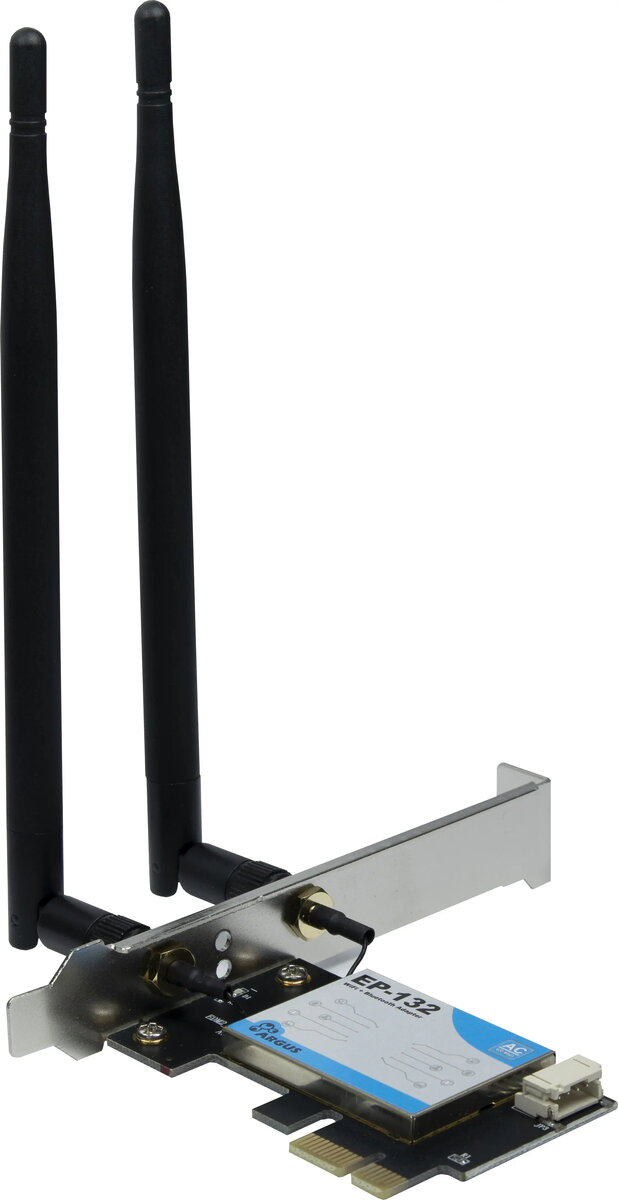
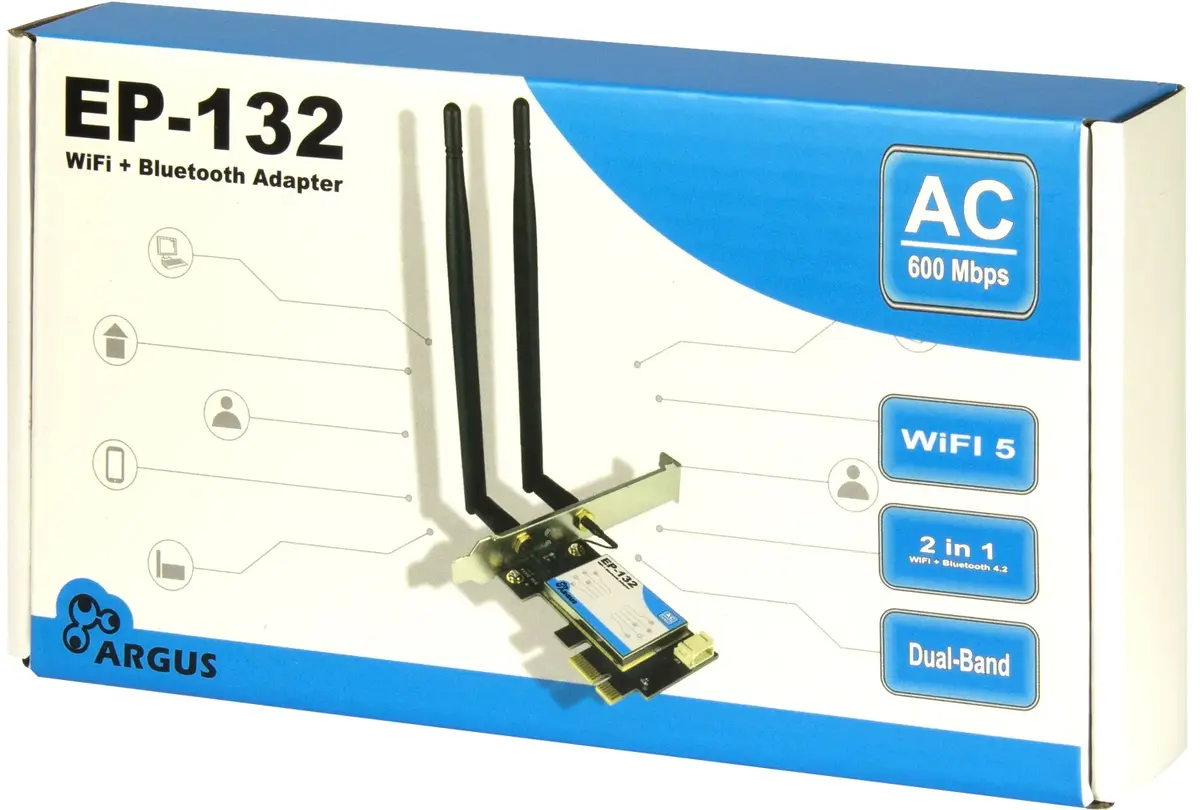
INTER-TECH EP-132 is an internal PCI Express WLAN and Bluetooth adapter that enables wireless network access on desktop systems. The card supports Wi‑Fi 5 (802.11ac) with dual‑band operation (2.4 GHz and 5 GHz) and a maximum combined data rate of up to 600 Mbit/s. The adapter also integrates Bluetooth for connecting peripherals. Its compact black design fits into a free PCIe slot on motherboards and provides wireless connectivity for web browsing, streaming and file transfers.
Advantages
The INTER-TECH EP-132 provides dual‑band Wi‑Fi 5 performance and Bluetooth in a single internal card, allowing one device to handle both wireless networking and accessory pairing. Installation into a PCI Express slot keeps cables to a minimum and ensures a stable, low‑latency connection compared with many USB adapters. The support for 2.4 GHz and 5 GHz bands offers flexibility for range or throughput depending on network conditions.
Suitable for
- Adding Wi‑Fi and Bluetooth to a desktop PC with an available PCIe slot
- Web browsing, video streaming and online meetings on desktops
- File transfers and general home or small office wireless networking
- Connecting Bluetooth peripherals such as mice, keyboards and headsets
When it may not be suitable
This adapter implements the Wi‑Fi 5 (802.11ac) standard and Bluetooth 4.2; it does not support newer Wi‑Fi 6 or the most recent Bluetooth versions. Systems that require the absolute highest wireless throughput, latest Wi‑Fi features like OFDMA or target enterprise-class access with advanced managed features may not find this card sufficient.
Key specifications
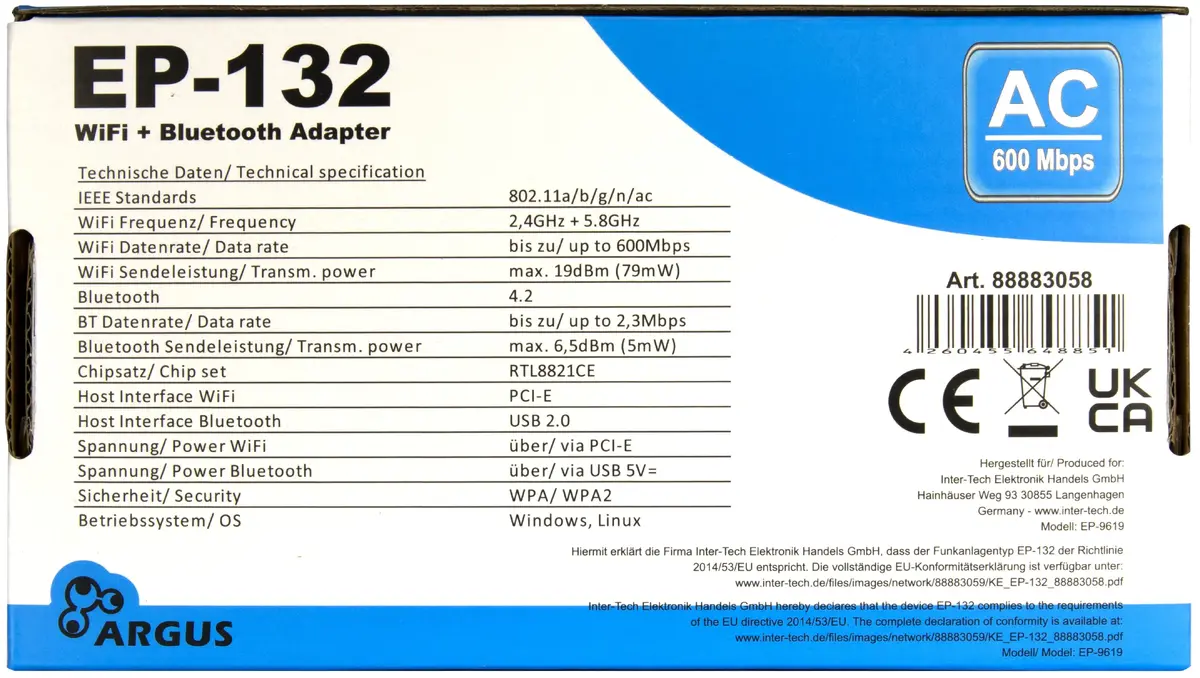
- Host interface: PCI Express
- Wireless standard: Wi‑Fi 5 (802.11ac)
- Wi‑Fi bands: Dual‑band 2.4 GHz / 5 GHz
- Maximum data transfer rate: up to 600 Mbit/s
- Bluetooth version: Bluetooth 4.2
- Form factor: internal PCIe card
- Product colour: black
- Weight: 0.07 kg
How to use
Power off the desktop PC and open the case according to the manufacturer’s instructions. Insert the INTER-TECH EP-132 into an available PCI Express slot and secure it to the chassis. Reassemble the case and boot the system. Install the required drivers supplied by the operating system or from the manufacturer if necessary, then use the system network settings to connect to a Wi‑Fi network and pair Bluetooth devices. Positioning the PC or adjusting antenna orientation (if applicable) can improve signal quality.
What to consider before purchase
- Verify an available PCI Express slot on the desktop motherboard
- Check operating system compatibility and availability of drivers
- Assess whether Wi‑Fi 5 and Bluetooth 4.2 meet your performance and feature needs
- Consider placement and potential need for external antenna or extension for better reception
Usage recommendations
For best performance, connect to the 5 GHz band when higher throughput and lower interference are required, and use the 2.4 GHz band for greater range. Keep drivers up to date and place the PC where the adapter has a clear path to the wireless router or access point.
Features
- Internal:
- Yes
- Host interface:
- PCI Express
Instructions

Stock data
| Warehouse | Stock | Delivery to the store | Store Price | |
| EU3 | 35 | 08.12.2026 | 14.99 € | Add to cart |
| WH155 | 50 | 08.12.2026 | 15.49 € | Add to cart |
| WH94 | 500 | 08.12.2026 | 19.49 € | Add to cart |
- 14.99 €Stock: 35Delivery Date: 08.12.2026Warehouse: EU3Add to cart
- 15.49 €Stock: 50Delivery Date: 08.12.2026Warehouse: WH155Add to cart
- 19.49 €Stock: 500Delivery Date: 08.12.2026Warehouse: WH94Add to cart
- 19.49 €Stock: 35Delivery Date: 08.12.2026Warehouse: WH357Add to cart


