


Internal PCIe Interface Card Inter-Tech 88885365 Blue PCIe Host Output
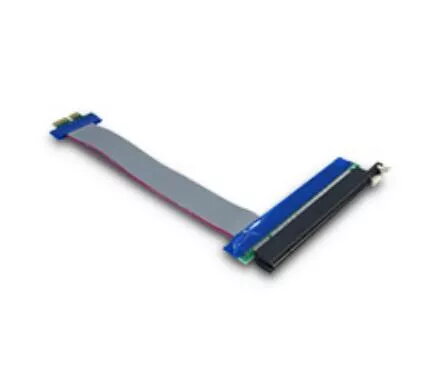
Short description

Cheapest delivery:
Unisend LV
Product information
Description
The Inter-Tech 88885365 Blue PCIe Host Output is an internal PCIe interface card that provides PCIe host and PCIe output connectivity for desktop or server systems. Designed for installation on a motherboard PCIe slot, the card facilitates reliable data transfer between system components and attached PCIe devices. Its blue PCB and housing distinguish it visually while maintaining standard interface compatibility for typical computing environments.
Advantages
The card supports direct PCIe-to-PCIe connections, enabling low-latency and high-throughput transfers where supported by the host system. As an internal component, it conserves external ports and contributes to a cleaner system layout. The compact design and standard form factor make it compatible with a wide range of cases and motherboards that provide PCIe expansion slots. The blue colour provides easy identification during installation and maintenance.
Suitable for
- Expanding PCIe connectivity in desktop PCs
- Adding internal I/O paths in workstations or small servers
- System upgrades where additional PCIe outputs are required
- Environments prioritising clean internal cable management and compact expansion
Key specifications
- Host interface: PCIe
- Output interface: PCIe
- Form factor: internal card for PCIe expansion slot
- Colour: blue
How to use
Power down the computer and disconnect it from the mains before installation. Open the system case according to the chassis manufacturer's instructions, locate an available PCIe expansion slot on the motherboard, and remove the corresponding slot cover. Insert the Inter-Tech PCIe card firmly into the slot until it is seated, secure it to the case with the mounting screw, then reassemble the case. Reconnect power and boot the system. Install any necessary drivers or firmware provided by the system or device vendor to ensure proper operation. Verify the device is detected in the system firmware/OS device manager and test the intended PCIe device connections.
Usage recommendations
Install the card in a compatible PCIe slot matching the lane width and generation supported by your motherboard for optimal performance. Ensure the system is grounded and powered off during handling to prevent electrostatic damage. Monitor BIOS/UEFI settings if multiple expansion devices are present to avoid resource conflicts.
Features
- Internal:
- Yes
- Host interface:
- PCIe
- Output interface:
- PCIe
Stock data
| Warehouse | Stock | Delivery to the store | Store Price | |
| WH94 | 500 | 08.12.2026 | 15.49 € | Add to cart |
- 15.49 €Stock: 500Delivery Date: 08.12.2026Warehouse: WH94Add to cart
| Warehouse | Stock | Delivery to the store | Store Price | |
| WH109 | 724 | 22.12.2026 | 21.99 € | Add to cart |
- 21.99 €Stock: 724Delivery Date: 22.12.2026Warehouse: WH109Add to cart


