


Interface Card Inter-Tech 88885396 PCI Green Grey
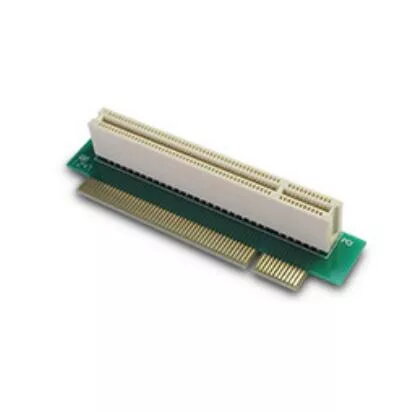
Short description

Cheapest delivery:
Unisend LV
Product information
Description
The Inter-Tech 88885396 PCI Green Grey is an internal interface card designed to be installed in a standard PCI slot on desktop motherboards. Its compact, low-profile design and green/grey PCB and components make it visually consistent with many system interiors while providing additional interface connectivity. The card expands a computer's available ports and supports integration into existing hardware without requiring external power connections in most standard desktop configurations.
Advantages
This interface card offers a simple, reliable way to add functionality to systems with available PCI slots. Its internal mounting eliminates the need for external adapters and reduces cable clutter. The card's compatibility with a wide range of motherboards and operating environments makes it suitable for upgrades or system retrofits. Built for straightforward installation, it provides a cost-effective option for increasing a desktop computer's interface capabilities.
Suitable for
- Adding additional internal interface ports to desktop PCs
- Upgrading older systems that lack modern connectivity options
- System retrofits in office or industrial environments
- Repairing or replacing a damaged internal interface card
Key specifications
- Form factor: standard PCI internal expansion card
- Color: green and grey PCB/components
- Compatibility: fits into PCI slot on compatible motherboards
- Installation type: internal, bracket-mounted
- Power requirements: powered via motherboard PCI slot (no separate external power connector)
How to use
Power down the computer and disconnect all cables before installation. Open the computer case according to the manufacturer's instructions, locate an available PCI slot on the motherboard, and remove the corresponding expansion slot cover from the case. Align the card with the slot and press firmly and evenly to seat it into place. Secure the card bracket to the chassis with the appropriate screw. Reassemble the case, reconnect cables, and power on the system. Install any necessary drivers provided by the operating system or the card manufacturer to enable full functionality.
Usage recommendations
Verify motherboard PCI slot availability and operating system driver support prior to installation. Use anti-static precautions when handling the card, and ensure the system is powered off and unplugged to prevent damage during installation. If additional configuration or driver installation is required, follow the documentation supplied by the operating system or hardware vendor.
Features
- Internal:
- Yes
- Host interface:
- PCI
Stock data
| Warehouse | Stock | Delivery to the store | Store Price | |
| WH94 | 100 | 08.12.2026 | 11.99 € | Add to cart |
- 11.99 €Stock: 100Delivery Date: 08.12.2026Warehouse: WH94Add to cart
| Warehouse | Stock | Delivery to the store | Store Price | |
| WH109 | 139 | 22.12.2026 | 14.99 € | Add to cart |
- 14.99 €Stock: 139Delivery Date: 22.12.2026Warehouse: WH109Add to cart


