


Internal Interface Card Inter-Tech 88885398 PCI Blue Green
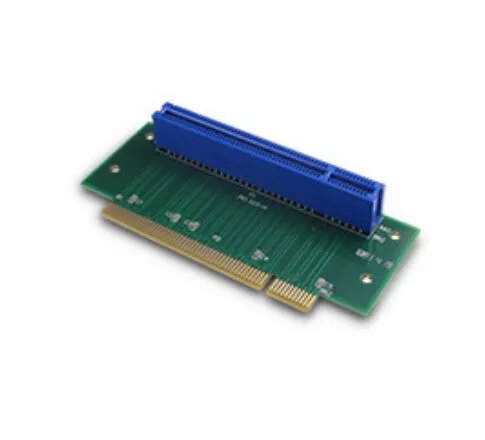
Short description

Cheapest delivery:
Unisend LV
Product information
Description
The Inter-Tech 88885398 Internal Interface Card PCI in blue and green provides internal PCI connectivity for desktop systems. Designed for compatibility with standard PCI slots, this interface card enables connection of additional internal components and peripheral modules to expand system functionality and improve integration with existing hardware. The card is intended for users requiring a straightforward internal interface solution without external cabling or adapters.
Advantages
The card offers a compact design that fits conventional PCI slots and supports stable data transmission between internal components. Its color options help with visual identification during installation and maintenance. Built for plug-and-play integration in compatible systems, the card requires minimal configuration and supports reliable operation under normal desktop usage conditions.
Suitable for
- Expanding desktop systems with additional internal interfaces
- Installing internal peripheral modules that require PCI connectivity
- System maintenance and upgrades where internal expansion is preferred over external adapters
- Workstation or home PC setups that use legacy PCI expansion slots
Key specifications
- Form factor: internal PCI card designed for standard PCI slot installation
- Color: blue and green variants for identification during installation
- Connectivity: provides internal interface connections for compatible components
- Compatibility: intended for systems with available PCI expansion slots
- Installation: low-profile mounting compatible with typical desktop chassis
How to use
Power down the computer and disconnect it from the mains before installation. Open the chassis according to the manufacturer’s instructions, locate an available standard PCI slot, and remove the corresponding slot cover. Insert the interface card straight into the slot until it is seated securely, then fasten the card to the chassis with the retaining screw. Reassemble the case, reconnect power and peripherals, and start the system. If necessary, install or update any system drivers or BIOS settings to ensure the operating system recognizes the new internal interface.
Usage recommendations
Ensure compatibility with your motherboard’s PCI slot and review system documentation for supported devices. Handle the card with anti-static precautions and avoid installing while the system is powered. For best results, install the card in a well-ventilated chassis to maintain stable operating temperatures and consult component manuals if additional configuration is required.
Features
- Internal:
- Yes
- Host interface:
- PCI
Stock data
| Warehouse | Stock | Delivery to the store | Store Price | |
| WH94 | 57 | 08.12.2026 | 16.99 € | Add to cart |
- 16.99 €Stock: 57Delivery Date: 08.12.2026Warehouse: WH94Add to cart
| Warehouse | Stock | Delivery to the store | Store Price | |
| WH109 | 57 | 22.12.2026 | 22.99 € | Add to cart |
- 22.99 €Stock: 57Delivery Date: 22.12.2026Warehouse: WH109Add to cart


