


KRUX Corvus Reverse 120 ARGB case fan — model KRXE008, 120 mm, ARGB lighting
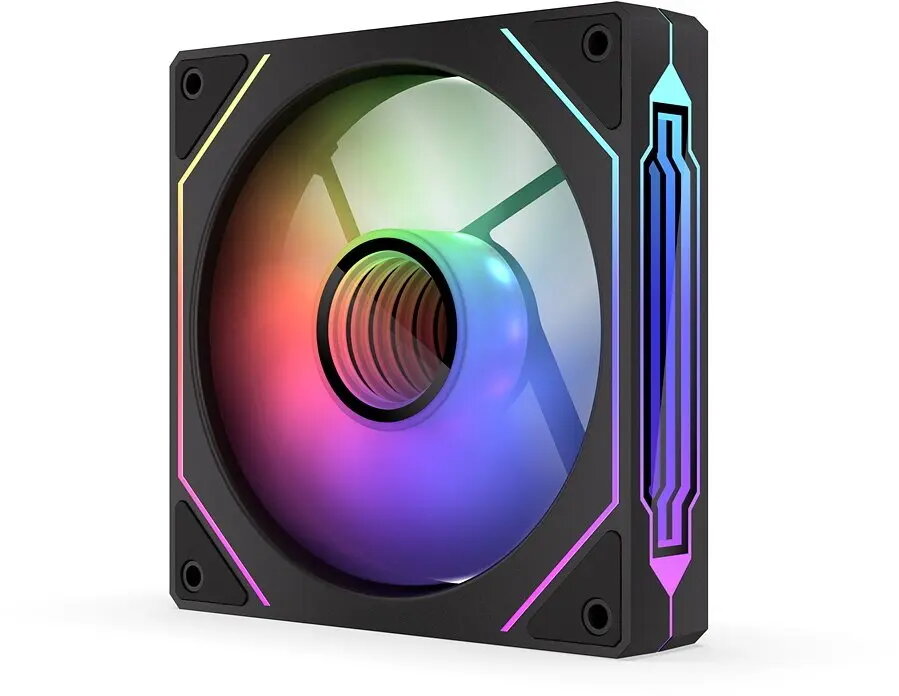
Short description

Cheapest delivery:
Unisend LV
Product information
Description
KRUX Corvus Reverse 120 ARGB is a 120 mm PC case fan combining addressable RGB illumination with reversed-blade airflow design for visible front-facing lighting. The fan delivers up to 1600 RPM with PWM speed control, uses a hydraulic bearing for quieter operation and longer lifespan, and includes 22 ARGB LEDs arranged to create an infinity-mirror effect. It comes with male and female ARGB connectors for daisy-chaining and a 4-pin power connection for PWM control.
Advantages
The reversed blade profile exposes the ARGB-lit front face for stronger visual impact while maintaining effective airflow. PWM control enables precise automatic speed adjustment according to system temperature. A hydraulic bearing and foam anti-vibration mounts reduce noise and vibration, extending service life and improving acoustic comfort. The infinity-mirror ARGB layout with 22 LEDs offers customizable lighting when connected to a compatible 3-pin ARGB header or controller.
Suitable for
- General chassis ventilation in mid-tower and full-tower PC cases
- Front-mounted or side-visible intake where front-facing ARGB is desired
- Cooling radiators or heatsinks in compact gaming or productivity systems
Key specifications
- Fan size: 120 × 120 × 25 mm
- Maximum speed: up to 1600 RPM (±10%)
- Speed control: PWM (4-pin power connector)
- LED type: addressable ARGB, 22 LEDs, 5 V
- Bearings: hydraulic
- Cable length: 500 mm
- Operating voltage (fan): 12 V
- MTBF: 50,000 hours
- Included accessories: mounting screws, short user manual
How to use
Install the fan in a compatible 120 mm mounting position using the supplied screws. Connect the 4-pin power plug to a motherboard PWM fan header or compatible controller to allow automatic speed regulation. Attach the 3-pin ARGB connector to a 5 V ARGB header or controller; use the included male and female ARGB connectors to chain multiple ARGB components. Verify cable routing to avoid obstructing the fan blades before powering the system.
Usage recommendations
For optimal balance between cooling and noise, allow the motherboard’s PWM control to manage fan speed and place Corvus Reverse as an intake where its front-facing ARGB is visible. Periodically clean the fan blades to maintain airflow and inspect rubber/foam mounts for proper vibration damping.


