


Product specification Wireless Keyboard Microsoft Surface Keyboard 2, Nordic layout, Grey
Description
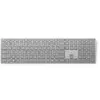
Microsoft Surface Keyboard 2 is a wireless desktop keyboard in a grey finish with a Nordic layout. It provides a full-size keyset including a numeric keypad and connects via Bluetooth for cable-free use. Designed for comfortable, low-profile typing, the keyboard is suitable for office work, remote work and everyday computing on Windows and other Bluetooth-compatible devices.
Advantages
The Surface Keyboard 2 combines a slim, durable design with optimized low-profile keys that reduce fatigue during extended typing sessions. Bluetooth 4.0 ensures a stable wireless connection, dedicated shortcut keys give quick access to functions such as Copilot, Snip & Sketch and Expressive Input, and the keyboard offers long battery life — a set of AAA batteries can power the device for up to a year under typical use.
Suitable for
- Office productivity tasks and data entry with full-size keys and numpad
- Remote work and home use with Bluetooth connectivity
- Windows devices and other Bluetooth hosts that support external keyboards
Key specifications
- Layout: Nordic (NO)
- Connection: Bluetooth 4.0
- Form factor: Full-size keyboard with numeric keypad
- Key type: Low-profile, optimized keys
- Power: AAA batteries (one set provides up to one year of typical use)
- Colour: Grey
- Manufacturer: Microsoft, MPN: EP2-04198, EAN: 196388386642
How to use
Install one set of AAA batteries, enable Bluetooth on your host device and pair the keyboard via the device Bluetooth settings. Position the keyboard on a flat surface for ergonomic typing. Use the dedicated shortcut keys for quick access to Copilot, Snip & Sketch, Expressive Input and other functions as supported by your operating system. For best performance, keep the keyboard within typical Bluetooth range and avoid heavy interference from other wireless devices.
Usage recommendations
Replace batteries before the keyboard shows reduced responsiveness; clean the surface and keys periodically with a dry or slightly damp cloth. Verify operating system support for dedicated shortcut keys to ensure full functionality.


