


MicroStorage SATA MacBook Air SSD Enclosure 12+6-pin Green MSSA7209
Short description

Cheapest delivery:
Unisend LV
Product information
Description
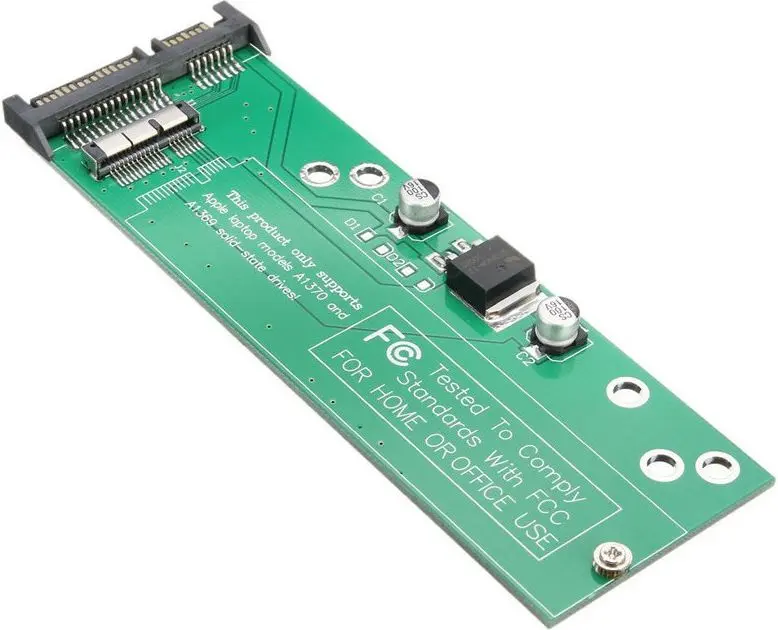
The MicroStorage SATA MacBook Air SSD Enclosure 12+6-pin Green MSSA7209 is a reliable storage accessory designed specifically to house and connect compatible solid-state drives. Featuring a distinct green finish, this enclosure and mounting bracket combination offers a practical way to repurpose or protect your MacBook Air SSD. It provides a secure physical housing for the drive, transforming an internal module into an external or securely mounted storage solution.
Advantages
This SSD enclosure provides a dedicated fit for compatible MacBook Air storage modules, ensuring the internal drive is securely held and protected from physical damage during handling. The durable construction safeguards sensitive electronic components, while the streamlined design maintains a compact footprint. By utilizing this enclosure, users can easily adapt specialized SSDs for alternative setups or data recovery tasks without exposing the delicate circuitry.
Suitable for
- Housing compatible 12+6-pin MacBook Air SSDs
- Repurposing internal laptop storage into external drives
- Data recovery and file transfer tasks from older MacBook Air modules
- Securing solid-state drives with a dedicated mounting bracket
When it may not be suitable
This enclosure is not compatible with standard 2.5-inch or M.2 NVMe solid-state drives due to the specific proprietary 12+6-pin interface used by certain MacBook Air models. It will not fit SSDs removed from laptop brands or series other than the designated Apple MacBook Air variants supported by this hardware format.
Key specifications
- Interface type: 12+6-pin SATA
- Compatibility: MacBook Air SSD
- Color: Green
- Product type: SSD enclosure and mounting bracket
How to use
To use the enclosure, carefully insert your compatible 12+6-pin solid-state drive into the internal connector, ensuring proper alignment to avoid bending the pins. Secure the drive within the housing using the provided mounting bracket and fasteners if applicable. Once fully enclosed, connect the unit to a compatible host system or adapter using the appropriate interface cables to begin accessing or transferring your stored data.
What to consider before purchase
- Verify your exact SSD model features a 12+6-pin interface
- Confirm compatibility with your specific MacBook Air SSD generation
- Check that you have the necessary cables or adapters to connect the enclosure to your computer
Usage recommendations: Handle the internal SSD modules with care to prevent electrostatic discharge damage. Always ensure the system is powered off before connecting or disconnecting storage enclosures.


