


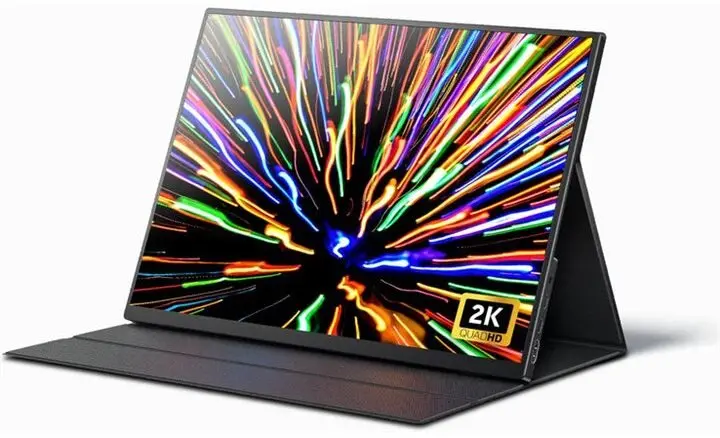
Portable monitor mobile pixels Fold 16 QHD — 16" QHD foldable USB-C/HDMI secondary display
Short description

Cheapest delivery:
Unisend LV

Esto — pay in 6 equal parts
Product information
Description
mobile pixels Fold 16 QHD is a portable 16" QHD foldable monitor intended as a secondary display for laptops and desktops. The panel unfolds to provide a larger workspace for productivity and multitasking, then folds flat for compact transport and screen protection. It connects through USB-C or HDMI (adapter may be required) and is designed to integrate with mobile work setups, meeting the needs of users who require an easily transportable external display with high pixel density.
Advantages
The Fold 16 QHD delivers a 16" QHD resolution that increases usable desktop area without significantly adding weight or bulk. Its foldable mechanical design secures the display when closed and reduces the carrying footprint compared with traditional rigid portable monitors. Dual connectivity via USB-C and HDMI allows flexible connection to a variety of laptops and desktop systems. The monitor is suitable for both right- and left-handed setups and supports plug-and-play operation with minimal configuration.
Suitable for
- Expanding laptop screen space for spreadsheets, code, and documents
- Remote work and hybrid office setups where a second screen improves productivity
- Client presentations and on-site demonstrations that require an additional display
- Traveling professionals who need a lightweight, compact external monitor
Key specifications
- Screen size: 16 inches (diagonal)
- Resolution: QHD (2560 x 1440)
- Panel type: IPS-class for wide viewing angles
- Connectivity: USB-C (DisplayPort Alt Mode) and HDMI input
- Form factor: Foldable design with protective closed state for transport
- Power: USB-C power delivery support or separate power option via adapter
- Orientation: Landscape with support for both left/right placement depending on stand or case position
How to use
Open the Fold 16 QHD by unfolding the display until it locks into the usable position. Connect a compatible USB-C cable to a laptop or device that supports DisplayPort Alt Mode for both video and power delivery; alternatively, connect via HDMI using an HDMI cable and, if necessary, a separate power source. Adjust the laptop display settings to extend or mirror the desktop, and arrange the monitor’s position for comfortable viewing. When finished, close the monitor to protect the panel and store it in a bag or its protective sleeve.
Usage recommendations
To ensure optimal display performance, use a high-quality USB-C cable that supports DisplayPort Alt Mode and PD or a shielded HDMI cable for stable video. Keep the folding mechanism free of debris and avoid forcing the hinge beyond its designed range. For extended work sessions, position the Fold 16 QHD at eye level using a stable stand or case to reduce neck strain and verify system display settings for native QHD resolution.
Stock data
| Warehouse | Stock | Delivery to the store | Store Price | |
| WH334 | 7 | 07.12.2026 | 178.99 € | Add to cart |
| WH354 | 7 | 07.12.2026 | 234.99 € | Add to cart |
- 178.99 €Stock: 7Delivery Date: 07.12.2026Warehouse: WH334Add to cart
- 234.99 €Stock: 7Delivery Date: 07.12.2026Warehouse: WH354Add to cart
| Warehouse | Stock | Delivery to the store | Store Price | |
| WH109 | 7 | 21.12.2026 | 270.99 € | Add to cart |
- 270.99 €Stock: 7Delivery Date: 21.12.2026Warehouse: WH109Add to cart
Customer reviews
Customer questions
How much does the mobile pixels Fold 16 QHD portable monitor cost, and is it available for purchase?
If I order this product today, when will I receive my order?
What payment options are available?
Can mobile pixels Fold 16 QHD portable monitor be purchased with a lease?
- Select the product on the website and add it to your cart;
- When placing your order, choose the payment method “Installments”;
- Fill in the required details for the lending partner;
- Receive a decision within a few minutes.


