


Peerless SS560F Multimedia Stand for Displays up to 75 Inches, Black Aluminum
Offer for a legal entity, non-cash payment.
Short description

Product information
Description
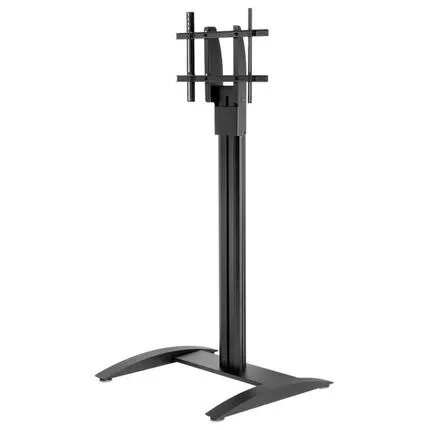
The Peerless SS560F SmartMount Flat Panel Floor Stand is a freestanding multimedia stand designed to position a single display for optimal viewing in professional environments. Constructed from aluminium with a black finish, the stand incorporates internal cable management to conceal AV cabling and present a tidy appearance. It supports one display up to 75 inches and offers a stable platform for boardrooms, classrooms, lobbies and event spaces where a floor-mounted solution is required.
Advantages
The stand combines a lightweight aluminium construction with a maximum load capacity of 68.2 kg, providing a balance of portability and strength. Its internal cable management keeps cables hidden for a clean installation, while the floor-mounted design eliminates the need for wall attachment and allows flexible placement. The black finish and minimalist profile suit a variety of interiors.
Suitable for
- Boardrooms and meeting rooms
- Training rooms and classrooms
- Lobbies and reception areas
- Auditoriums and exhibit halls
- Temporary or permanent AV installations requiring a freestanding display
Key specifications
- Material: aluminium
- Colour: black
- Maximum supported display size: 75"
- Maximum weight capacity: 68.2 kg
- Number of displays supported: 1
- Overall height: 1672 mm
- Width: 889 mm
- Depth: 673 mm
- Product weight: 24.54 kg
How to use
Assemble the floor stand following the manufacturer instructions, ensuring all fasteners are tightened and the base is stable before mounting the display. Route AV and power cables through the integrated internal cable management to keep connections concealed. Lift and secure the display to the bracket according to its VESA pattern and weight—verify the display does not exceed the 68.2 kg capacity and 75" size limit. Place the assembled unit on a level surface and confirm stability before use.
Usage recommendations
Position the stand on a firm, level floor and avoid locations where it may be bumped or become a trip hazard. Regularly check fasteners and cable routing, and follow the display manufacturer’s instructions for mounting to ensure safe, long-term use.
Features
- Maximum screen size:
- 75 "
- Number of displays supported:
- 1
- Material:
- Aluminium


