


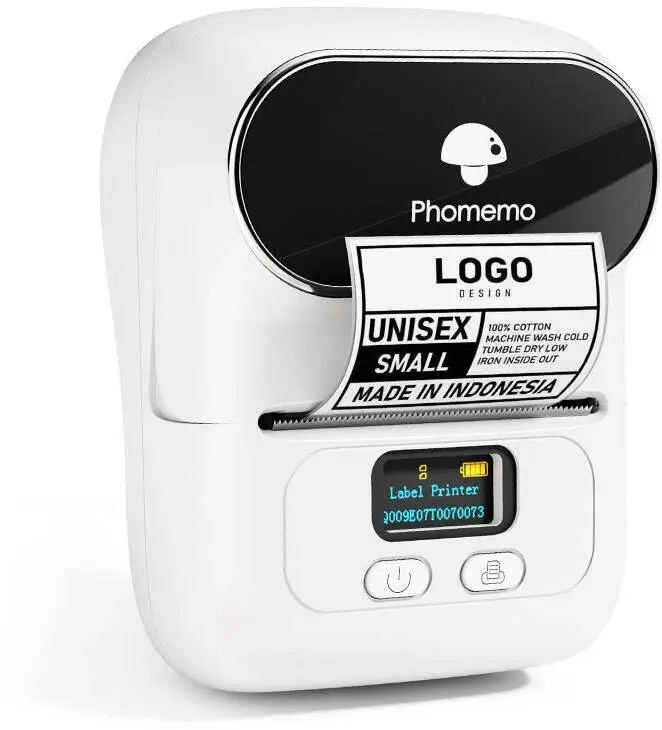
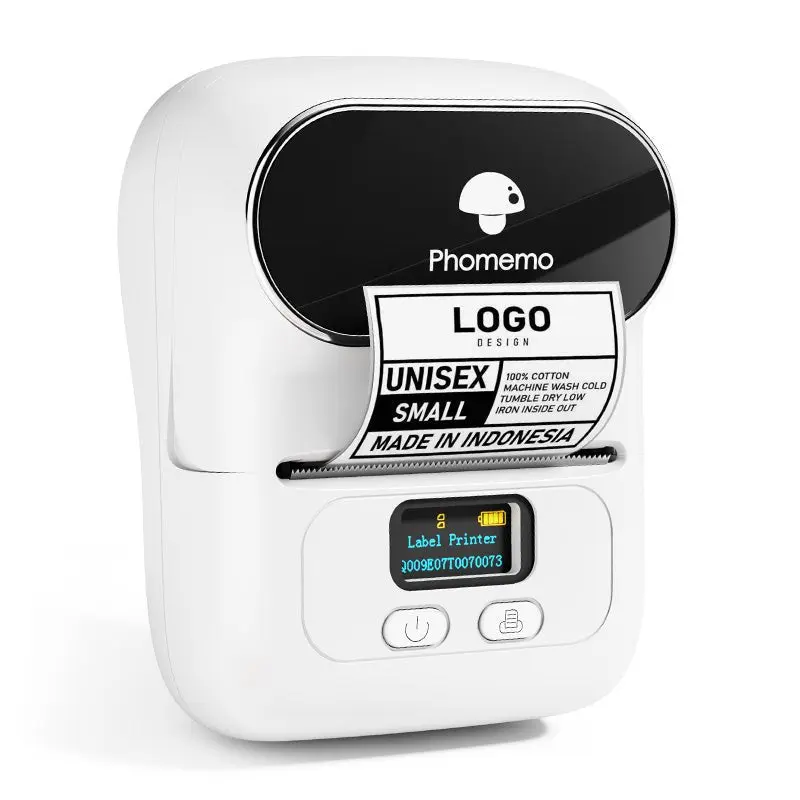
Phomemo M110 Label Printer Direct Thermal 203 x 203 DPI 30 mm/sec Bluetooth USB White
Short description

Cheapest delivery:
Unisend LV

Esto — pay in 6 equal parts
Product information
Description
The Phomemo M110 Label Printer is a compact and efficient device utilizing direct thermal technology to meet your daily organization and tagging requirements. Finished in a clean white color, this portable printer operates without the need for messy ink or toner cartridges, ensuring clean handling and straightforward operation. It delivers a print resolution of 203 x 203 DPI at a speed of 30 mm per second, providing clear text and graphics for various labeling needs. Supporting both wired and wireless connectivity through USB and Bluetooth, it easily connects to mobile devices and computers for flexible usage.
Advantages
The device eliminates the need for traditional ink supplies by utilizing direct thermal printing, which reduces maintenance tasks and prevents ink smudges. Its lightweight and portable design makes it easy to carry around the workplace or home. The built-in rechargeable lithium battery provides sufficient power for continuous operation, supporting extended periods of mobile labeling. Furthermore, the versatile connectivity options allow users to print seamlessly from smartphones via dedicated applications or directly from a computer using a USB cable.
Suitable for
- Retail price tagging and barcode generation
- Home organization, pantry labeling, and storage management
- Office document sorting and asset tagging
- Creating small business shipping and product labels
This printer is not designed for wide-format industrial printing or high-volume continuous manufacturing tasks, as it has a maximum printing width limitation of 50 mm. It also does not support wired Ethernet networking or Wi-Fi connections.
Key specifications
- Print technology: Direct thermal
- Maximum resolution: 203 x 203 DPI
- Print speed: 30 mm/sec
- Maximum printing width: 50 mm
- Connectivity technology: Wired and wireless
- Interfaces: Bluetooth, USB port
- Product colour: White
To begin using the Phomemo M110, charge the internal battery fully using the provided cable. Install a compatible thermal label roll into the compartment, ensuring proper alignment. Connect the printer to your mobile device via Bluetooth using the supported application or link it to a computer through the USB interface. Create your label design within the software application and send the print job to the device.
What to consider before purchase
- Verify that the maximum printing width of 50 mm meets your application requirements
- Ensure your operating system is compatible with the available USB or Bluetooth connection methods
- Check the availability of thermal label rolls matching the supported dimensions
Usage recommendations: Store the printer in a cool, dry place away from direct sunlight and extreme temperatures to preserve the internal battery and thermal print head performance. Clean the print head periodically with a dry cloth to maintain optimal print clarity.
Features
- Ethernet LAN:
- No
- Wi-Fi:
- No
- USB port:
- Yes
- Connectivity technology:
- Wired & Wireless
- Maximum printing width:
- 50 mm
- Print technology:
- Direct thermal
- Colour:
- No
- Product colour:
- White
Product comparison
When comparing the Phomemo M110 Direct Thermal Label Printer with alternative models, they share core thermal printing technology and a primary purpose, but differ in branding, connectivity options, maximum print width, and speed. The main distinctions lie in the mobile wireless connectivity offered by the Phomemo and NIIMBOT lines compared to the wired desktop design from Brother, as well as printing speed variations.
⚙️ Below is a comparison of characteristics such as print technology, resolution, print speed, connectivity interfaces, maximum print width, and color to highlight the practical differences between the models.
| Comparison parameter | Phomemo M110 White | Phomemo M110 (Alternative 1) | Brother TD-2020A | Phomemo M110 White (Alternative 2) | Phomemo M110 Blue | NIIMBOT B21S | Practical significance |
|---|---|---|---|---|---|---|---|
| Print technology | Direct thermal | Direct thermal | Direct thermal | Direct thermal | Direct thermal | Direct thermal | All devices use direct thermal printing, eliminating the need for ink, toner, or ribbons. |
| Connectivity | Bluetooth and USB | Bluetooth | Wired USB only | Bluetooth | Bluetooth | Bluetooth and wired | Models featuring Bluetooth offer convenient mobile printing from smartphones, whereas Brother relies on a wired connection. |
| Print speed | 30 mm/s | Not specified | 152.4 mm/s | Not specified | Not specified | Not specified | The Brother printer operates significantly faster, making it better suited for high-volume tasks. |
| Maximum printing width | 50 mm | Up to 50 mm | 56 mm | Up to 50 mm | Up to 50 mm | 25–50 mm | Slight width variations allow for standard retail price tags and small labels across all devices. |
| Product color | White | Not specified | White | White | Blue | White | Color impacts only aesthetic preferences and workspace matching. |
◎ The table below evaluates which product is more suitable for various user needs, use cases, or buyer profiles.
| Use case | Recommended product | Why |
|---|---|---|
| Mobile labeling and smartphone printing | Phomemo M110 White | Bluetooth support and a portable design make it ideal for on-the-go labeling in retail or warehousing environments. |
| Fast desktop label printing | Brother TD-2020A | High print speed and wired connectivity suit intensive daily labeling tasks in a fixed workspace. |
| Personalized organization at home or office | Phomemo M110 Blue | The stylish blue housing and mobile app support help organize personal items and creative projects easily. |
Phomemo M110 Direct Thermal Label Printer is best suited for mobile users who need wireless smartphone label printing without ink cartridges. Choose this model if you require a portable device for retail or office tasks with Bluetooth convenience. If you need high-speed stationary printing, the Brother alternative is more appropriate.


