


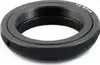
Product specification Lens Mount Adapter Pixco NIKON (Ai/AiS/AF to T2) for attaching Nikon lenses to T2 threaded mounts
Description
The Pixco NIKON (Ai/AiS/AF to T2) lens mount adapter converts Nikon F-mount lenses with Ai, AiS or AF mount protocols to a T2 (M42x0.75) threaded connection. It enables attaching Nikon interchangeable lenses to T2-threaded cameras, telescopes, microscopes and other optical instruments. The adapter provides a mechanical interface only: aperture and focus remain under manual control on the lens, while electronic communication and autofocus are not transmitted.
Advantages
This adapter offers a simple and robust mechanical coupling that preserves the optical characteristics of Nikon lenses when used with T2-threaded equipment. Constructed for stable alignment, it minimizes play between lens and device and maintains flange distance appropriate for manual focus use. Its compatibility with Ai, AiS and AF Nikon mount variants ensures broad support for a wide range of lenses without requiring modifications.
Suitable for
- Astrophotography with telescopes requiring T2 threads
- Macro photography using microscopes or extension rigs with T2 mounts
- Manual imaging and video work where electronic control is not needed
- Adapting legacy Nikon lenses for creative optical experiments and specialty rigs
Key specifications
- Mount conversion: Nikon F (Ai/AiS/AF) to T2 (M42x0.75) threaded
- Connection type: mechanical only, no electrical contacts
- Material: metal construction for secure fit and alignment
- Thread size: T2 standard (M42x0.75)
- Compatibility: fits Nikon lenses with Ai, AiS or AF flange variations
How to use
Attach the adapter to the rear of the Nikon lens by aligning the mount and turning until it locks into the lens mount bayonet as with a standard Nikon mechanical mount. Then screw the lens with adapter into the T2-threaded receptacle on the camera, telescope or microscope until secure. Set the lens aperture and focus manually on the lens body. Because there is no electronic linkage, confirm exposure settings and focus manually or via the host device’s focusing aids.
Usage recommendations
Ensure the mating surfaces are clean and free of dust before mounting to avoid damage to optics or threads. Use manual focus and live view or focusing aids when precise focus is required. When using on telescopes or microscopes, verify backfocus distance for parfocality and prevent vignetting by testing different extension spacers or T2 tubes if necessary.


