


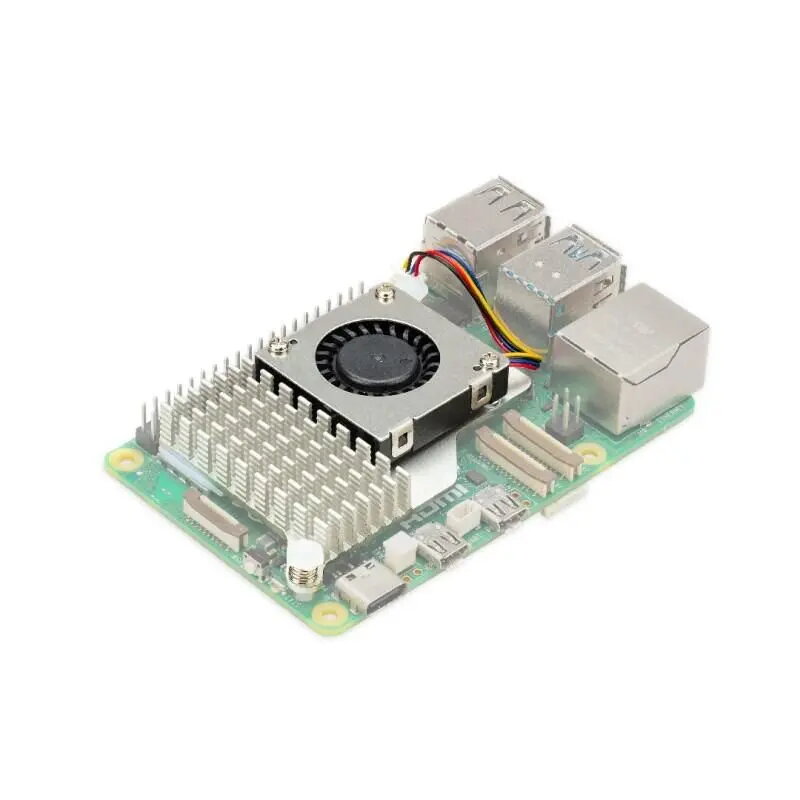
Cooling solution Raspberry Active Cooler Raspberry Pi5 RB-heatsink3 Fan for Raspberry Pi 5
Offer for a legal entity, non-cash payment.
Short description

Cheapest delivery:
Unisend LV
Product information
Description
Active Cooler Raspberry Pi5 RB-heatsink3 Fan by Raspberry is a compact cooling solution specifically designed for the Raspberry Pi 5 single-board computer. The product integrates a form‑fitting aluminum heatsink with a low-profile fan to lower CPU and component temperatures during sustained workloads. Its design supports installation directly on the Raspberry Pi 5 board to help maintain consistent performance under load and reduce the risk of thermal throttling.
Advantages
The integrated heatsink and fan combination provides faster heat dissipation than passive cooling alone while keeping overall height suitable for many enclosures. The fan operates at a balance between airflow and noise, enabling continuous operation for extended computing sessions. The compact footprint and dedicated mounting points ensure a secure fit on Raspberry Pi 5 without obstructing ports or connectors when correctly installed.
Suitable for
- High CPU load tasks such as compilation, emulation, or software builds
- Continuous or 24/7 operation in compact systems and kiosks
- Media centers, home servers, and network services running on Raspberry Pi 5
- Development and testing environments where thermal stability is required
Key specifications
- Cooling type: combined heatsink and active fan
- Heatsink material: aluminum (extruded or machined profile)
- Fan type: low-profile axial fan designed for small form factors
- Compatibility: designed for Raspberry Pi 5 board layout and mounting points
- Noise level: low to moderate (optimized for balance of airflow and acoustics)
- Operation mode: continuous duty suitable for extended use
- Mounting: direct attachment to board using provided clips or screws (check included accessories)
How to use
Turn off and disconnect power from the Raspberry Pi 5 before installation. Align the cooler with the processor and existing mounting points, then attach the heatsink assembly to the board using the supplied clips or screws, ensuring firm contact with thermal interface material if provided. Connect the fan power cable to the appropriate header on the Raspberry Pi 5 board to enable fan operation. After installation, power on the board and verify that the fan spins and that airflow is unobstructed. For best thermal transfer, ensure the processor surface and heatsink base are clean and, if applicable, apply thermal paste or a pre-applied thermal pad as instructed by the manufacturer.
Usage recommendations
Place the assembled Raspberry Pi 5 unit in an enclosure that allows adequate airflow around the fan intake and exhaust. Periodically check for dust accumulation on the heatsink fins and fan blades and clean as needed to maintain cooling performance. Avoid blocking ventilation openings and follow the Raspberry Pi 5 board guidelines for safe power and cable routing.
Stock data
| Warehouse | Stock | Delivery to the store | Store Price | |
| WH354 | 3 | 07.12.2026 | 16.49 € | Add to cart |
- 16.49 €Stock: 3Delivery Date: 07.12.2026Warehouse: WH354Add to cart
| Warehouse | Stock | Delivery to the store | Store Price | |
| EU9 | 21 | 07.12.2026 | 11.49 € | Add to cart |
| WH109 | 28 | 21.12.2026 | 21.49 € | Add to cart |
- 11.49 €Stock: 21Delivery Date: 07.12.2026Warehouse: EU9Add to cart
- 21.49 €Stock: 28Delivery Date: 21.12.2026Warehouse: WH109Add to cart


