


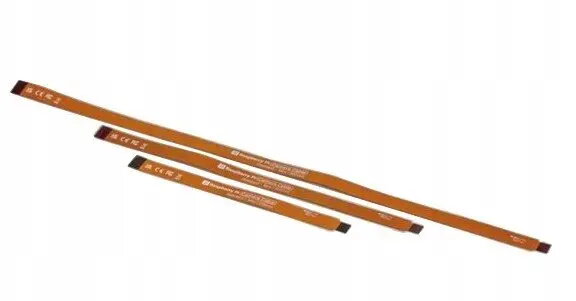
Display Cable Standard - Mini, Raspberry, model SC1131
Short description

Cheapest delivery:
Unisend LV
Product information
Description
Display Cable Standard - Mini, Raspberry model SC1131 is a compact display connection cable designed for Raspberry Pi and compatible single-board computers. It provides a standard display interface in a mini form factor that is intended for connecting small displays, touchscreens or display adapters in projects where space is limited. The cable aims to deliver a reliable short link between the board and a display module for DIY electronics, embedded displays, prototyping and compact multimedia or IoT applications.
Advantages
The cable’s reduced size and connector layout allow for neat routing inside compact enclosures and tight installations. It supports a standard display signalling approach in a miniaturised assembly to keep connection integrity and maintain screen responsiveness. Designed for compatibility with common Raspberry Pi display connectors and similar single-board computer interfaces, it simplifies setup for small-format displays while minimising strain on board connectors.
Suitable for
- Connecting small HDMI or proprietary mini display modules to Raspberry Pi and similar single-board computers
- Touchscreen integration in space-constrained enclosures
- Prototyping display-equipped electronics and embedded systems
- Compact multimedia or IoT devices requiring a short, reliable display link
Key specifications
- Form factor: mini display cable designed for small displays and adapters
- Compatibility: intended for Raspberry Pi and compatible single-board computer display connectors
- Cable length: short, suitable for compact installations and enclosures
- Connector type: miniaturised display connector interface for tight spaces
- Use case focus: internal routing and short-distance signal transmission between board and display
How to use
Power off the single-board computer before connecting the cable. Align the mini display connector with the board or display socket, ensuring correct orientation, then insert gently until secure. Route the cable to avoid sharp bends and reduce mechanical strain on connectors. After connection, power on the system and verify display output in the operating system or firmware settings. If using a touchscreen, confirm touch input functionality and calibrate if required.
Usage recommendations
For reliable operation, use the cable for short internal connections and avoid extended external runs. Prevent repeated insertion/removal cycles and protect the connectors from dust or force. When installing inside enclosures, allow slight slack to reduce stress on the connector and verify that the display and board firmware settings match the display type.


