


Reflexion BV05 TV Stand for 16-32 inch Screens, Tiltable and Rotatable
Offer for a legal entity, non-cash payment.
Short description

Cheapest delivery:
Unisend LV
Product information
Description
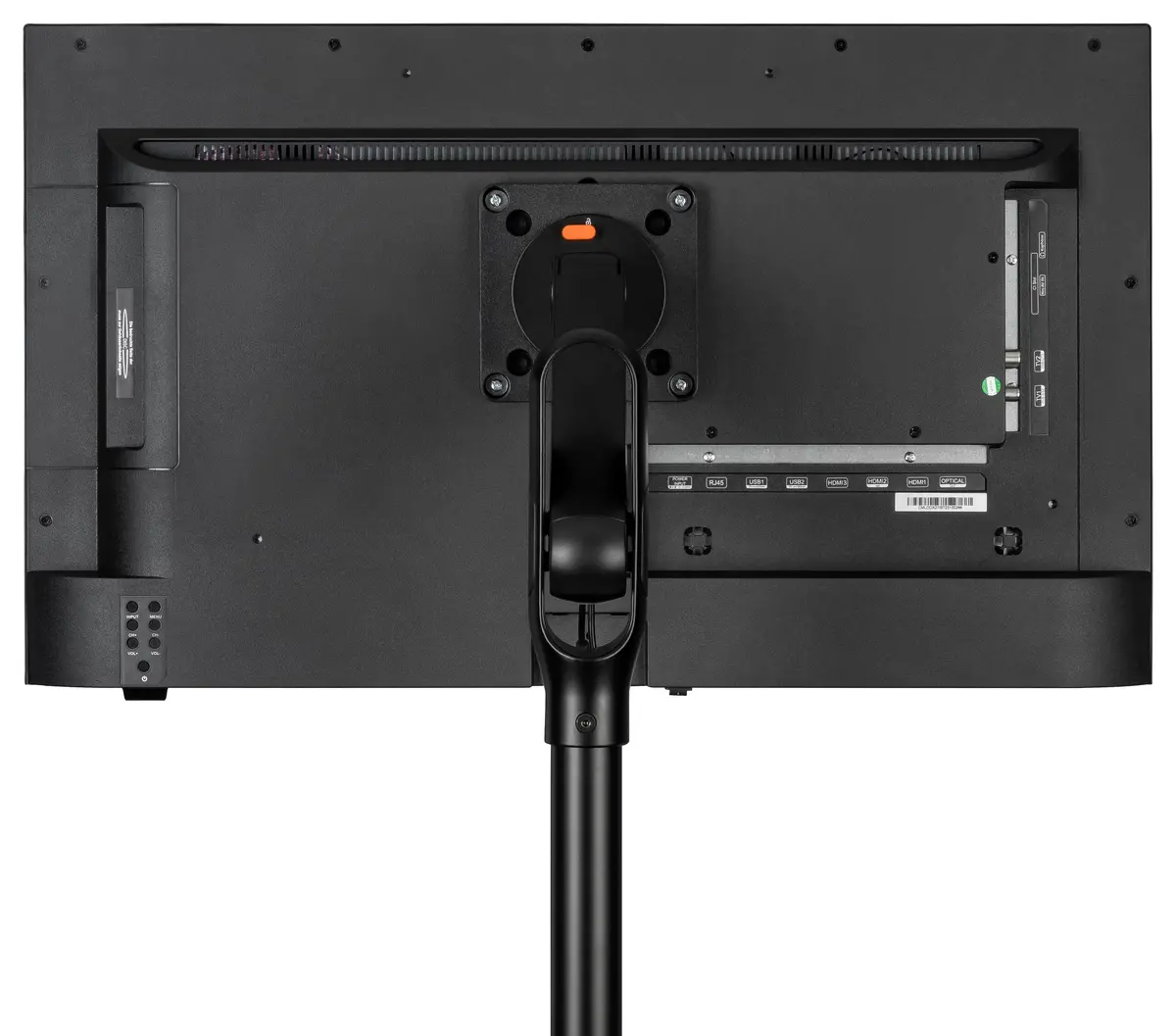
The Reflexion BV05 is a robust and versatile TV stand engineered to support screens ranging from 16 to 32 inches. Designed for stability and functionality, this stand provides a secure base for your television on any flat surface, making it an excellent choice for both home and office environments. Its sleek design ensures it integrates seamlessly into various interior styles while providing the necessary support for your display device.
Advantages
The primary benefit of the Reflexion BV05 is its high degree of adjustability, which allows users to customize their viewing experience. With integrated tilt and rotation capabilities, you can easily position your screen to eliminate glare or achieve the perfect angle from anywhere in the room. The construction focuses on durability, ensuring that your television remains stable and secure during use. Furthermore, the stand is designed for straightforward installation, allowing for a quick setup process without the need for complex tools or wall mounting.
Suitable for
- Home entertainment setups in living rooms or bedrooms
- Office environments for presentations or information displays
- Small spaces where wall mounting is not an option
- Users who frequently need to adjust their viewing angle
When it may not be suitable
This stand is specifically designed for screens between 16 and 32 inches. It may not be suitable for larger or heavier televisions that exceed the weight capacity or size specifications of the mount. Additionally, it is intended for use on flat, stable surfaces and is not compatible with wall-mounting applications.
Key specifications
- Screen size compatibility: 16 to 32 inches
- Adjustability: Tilt and rotation functions
- Mounting type: Tabletop stand
- Application: Flat surface placement
How to use
To use the Reflexion BV05, place the base on a level, stable surface. Attach the mounting bracket to the back of your television using the appropriate hardware provided. Once secured, carefully mount the television onto the stand's support column. After the screen is attached, you can adjust the tilt and rotation by gently moving the screen to your desired position. Ensure all screws are tightened securely before finalizing the setup.
What to consider before purchase
- Verify the screen size of your television is within the 16-32 inch range
- Ensure the surface where the stand will be placed is level and can support the weight of the TV
- Check the VESA pattern on the back of your TV to ensure compatibility with the stand's mounting plate
Usage recommendations
For the best experience, ensure the stand is placed on a non-slip surface and avoid placing the TV near the edge of furniture to prevent accidental tipping. Regularly check the tightness of the adjustment screws to maintain optimal stability.


