


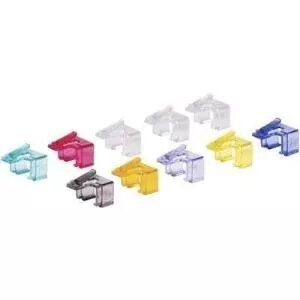
Network cable repair clip Renkforce RF-NW-RC — 10 pieces for RJ45/RJ12/RJ11 cable repair
Offer for a legal entity, non-cash payment.
Short description


Cheapest delivery:
Unisend LV
Product information
Description
Renkforce RF-NW-RC repair clips (10 pieces) allow quick on-site repair of network and telephone cables with modular connectors such as RJ45, RJ12 and RJ11. Each clip provides a compact mechanical and electrical connection for individual conductors, enabling restoration of signal paths without replacing the entire cable. The set is intended for simple corrective work in homes, offices and server rooms where damaged leads or cut strands need immediate reconnection.
Advantages
These repair clips offer a straightforward solution for reconnecting damaged wires while avoiding lengthy cable replacement. The design supports multiple common modular connector types (RJ45, RJ12, RJ11) and ensures reliable contact for data and voice transmissions when installed correctly. Supplied in a pack of 10, the clips are suitable for occasional emergency repairs and small maintenance tasks.
Suitable for
- Repairing broken or frayed Ethernet cables with RJ45 connectors
- Fixing telephone or low-speed data lines with RJ12 or RJ11 connectors
- Temporary or permanent fixes in home, office or server environments
- On-site cabling repairs during installations or relocations
Key specifications
- Compatibility: modular connector types RJ45, RJ12, RJ11
- Quantity: 10 repair clips per pack
- Function: electrical reconnection of individual conductors without full cable replacement
- Application: network data and telephone signal restoration for copper modular cables
- Form factor: compact inline clip for single-cable repair
How to use
Strip a small section of the cable sheath to expose the individual conductors, align the wires according to the connector pinout, insert them into the clip and press firmly until the conductors are mechanically and electrically mated. Ensure correct colour-to-pin alignment for Ethernet or telephone standards before securing the clip. After installation, test the line with an appropriate network tester or phone to verify continuity and signal quality.
Usage recommendations
Use the repair clips for quick corrective work and temporary fixes; for permanent installations or critical high-speed links, consider replacing severely damaged cables. Verify wiring order (TIA/EIA or phone standards) before reconnection and protect the repaired section from strain, moisture and corrosion to ensure long-term reliability.


