


Product specification USB-C 4‑Port USB Hub Renkforce RF-6902308, USB 3.2 Gen2 10 GBit/s, built-in USB-C plug, grey
Description
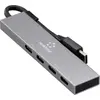
The Renkforce USB-C 4‑Port USB Hub RF-6902308 is a compact accessory that expands a single USB‑C port into four downstream USB ports while supporting USB 3.2 Gen2 transfer rates up to 10 GBit/s. Housed in a small grey enclosure with a built-in USB‑C plug, this hub is designed to provide high-speed connectivity for external storage, peripherals and accessories on laptops and tablets with limited native ports. The integrated plug keeps the setup simple and minimizes cables, while the four ports allow simultaneous connection of multiple devices for data transfer and peripheral use.
Advantages
The hub supports USB 3.2 Gen2 bandwidth, enabling fast transfers between host device and connected storage or peripherals. Its built-in USB‑C plug eliminates the need for an additional cable and reduces desk clutter. The compact, lightweight grey housing is portable and suited to mobile workflows. Four high-speed downstream ports let you connect several devices at once without swapping connectors.
Suitable for
- Connecting external SSDs and HDDs for fast file transfer and backups
- Attaching mice, keyboards and other USB peripherals to laptops or tablets
- Using multiple USB accessories simultaneously during travel or at a workspace
- Expanding connectivity for ultrabooks and devices with a single USB‑C port
Key specifications
- Interface: USB-C host plug with four downstream USB ports
- Data transfer standard: USB 3.2 Gen2 (up to 10 GBit/s)
- Colour: grey
- Form factor: compact, lightweight hub with integrated plug
- Power: bus-powered from host USB‑C port (no external power supply)
How to use
Insert the built-in USB‑C plug into an available USB‑C port on your laptop or tablet. Connect storage devices, peripherals or accessories to the hub's downstream ports. The host operating system should detect attached devices automatically; follow on-screen prompts for any required driver installation. For high-speed transfers, ensure connected storage devices and host port support USB 3.2 Gen2. If multiple high-power devices are connected, consider using devices with their own power supply to avoid overloading the host port.
Usage recommendations
Use a direct USB‑C host port on the computer rather than a passive adapter to preserve maximum transfer speeds. Disconnect devices by ejecting storage drives in the operating system before unplugging to prevent data loss. Avoid placing heavy strain on the integrated plug and store the hub in a protective pocket when transported.


