

{{ totalProductsCount }}

In cart {{totalProductsCount}} item(s)

Total:
{{sum | formatAmount}}

Your cart is empty

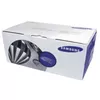
header-product Fuser Samsung JC91-01034B
59.99 €

Fuser Samsung JC91-01034B

Fuser Samsung JC91-01034B Photo 1
Keep track of price changes You keep track of price changes
Watch the price drop

Leave your address - as soon as the price of the product goes down, you'll know about it right away

You keep track of price changes

Fuser Samsung JC91-01034B

{{email}}
You keep track of price changes

Fuser Samsung JC91-01034B

{{email}}
{{selectedOffer && selectedOffer.price | formatAmount}}

Short description

The Samsung JC91-01034B fuser is designed for reliable performance in ML-2950ND printers. It ensures high-quality prints and efficient operation, reducing downtime and maintenance costs. This fuser unit is easy to install and compatible with various Samsung printer models, making it an essential component for maintaining optimal printing conditions.

Available at price 59.99 €: 6 pcs.
Total available for order: 9 pcs.
Warranty: 2 Years
SKU: 37894
delivery
to the Customer Service Center at Kengaraga 2b, Riga
01.07.2026 {{selectedOffer.officeDeliveryString}}
free
Customer service center
2b. Kengaraga str., Riga, Latvia, LV-1063
01.07.2026 {{selectedOffer.officeDeliveryString}}
free
Courier Delivery Please note that in case of a large parcel additional delivery costs may apply!
06.07.2026 {{selectedOffer.courierDeliveryString}}
From 4.99 € (Weight: 2.70 kg)
Parcel couriers
Latvijas Pasts pakomāts / Unisend LV / DPD Paku skapis / Omniva LV / Venipak Pickup LV / Venipak Locker LV / Latvijas Pasts nodaļa
06.07.2026 {{selectedOffer.parcelStationDeliveryString}}
From 1.99 €
payment
Payment Methods:
Cash payment, Bank transfer, Bank cards on-line, Apple Pay, Google Pay
Available for private customers at price 69.49 €: 3 pcs.
Together cheaper
{{product.price | formatAmount}}
{{product.title}}
{{productBundle.reference.specialPrice | formatAmount}}
{{productBundle.title}}
{{productBundlePreviousPrice | formatAmount}}
{{productBundleSpecialPrice | formatAmount}}

You saving {{productBundleYouSave | formatAmount}}

Product information

Description

The Samsung JC91-01034B fuser unit is designed for reliable performance in ML-2950ND printers and compatible Samsung models. It provides consistent heat and pressure to fuse toner to paper, delivering high-quality prints while helping to reduce downtime and maintenance costs. The unit is supplied as a genuine Samsung part and is intended for routine replacement to maintain optimal printing conditions.

Advantages

The fuser offers dependable operation with a manufacturer-specified fit for compatible Samsung printers, straightforward installation that minimizes service time, and stable print quality across a range of media types. As an original Samsung spare part, it helps preserve printer longevity and print consistency.

Suitable for

  • Replacing a worn or failed fuser in Samsung ML-2950ND printers
  • Maintenance in small office or home office environments with compatible Samsung models
  • Restoring consistent print quality and reducing paper jams related to fuser faults

Key specifications

  • Brand: Samsung
  • Manufacturer part number (MPN): JC91-01034B
  • Compatible printer model: Samsung ML-2950ND (and compatible Samsung models)

How to use

Turn off the printer and disconnect it from the power source before replacing the fuser. Allow the printer to cool if recently used. Remove the access panels according to the printer manual, extract the old fuser unit, and install the JC91-01034B in the correct orientation until it clicks or seats securely. Reassemble the panels, reconnect power, and perform any recommended printer initialization or calibration procedures.

Usage recommendations

Use only genuine or manufacturer-recommended fuser units to ensure compatibility and to maintain warranty and print quality. Replace the fuser when print defects (such as streaking, ghosting, or frequent paper jams) indicate a worn fuser or after the maintenance interval specified in your printer documentation.

All features
Compatibility:
ML-2950ND
AC input voltage:
220

Description

Machine translation. Load original

{{highlightedFeature.featureTitle}}:

{{product.title}}
{{product.price}}

{{getProductFeatureValueById(product, highlightedFeature.featureId)}}

Might be useful
{{product.manufacturerName}}
{{product.categoryName}}
{{product.title}}
{{product.specialPrice}}
{{product.price}}
Stock data
Warehouse Stock Delivery to the store Store Price
WH356 3 02.07.2026 69.49 €
Available only for legal entities
Warehouse Stock Delivery to the store Store Price
EU6 6 01.07.2026 Best delivery 59.99 € Best price
69.49 €
Stock: 3
Delivery Date: 02.07.2026
Warehouse: WH356
Available only for legal entities
59.99 €
Stock: 6
Delivery Date: 01.07.2026 Best delivery
Warehouse: EU6

Customer reviews

Customer questions

FAQ

How much does the Fuser Samsung JC91-01034B cost, and is it available for purchase?

The price is 59.99 € (valid at the time of publication and already includes all taxes). The item is available for order — 9 pcs. are in stock, and you can place your purchase right now with delivery across Latvia and Europe or choose pickup at the Riga collection point. We offer favorable purchase terms, including the option to split the payment into convenient monthly installments. Availability and price are updated in real time, so we recommend placing your order in advance.

If I order this product today, when will I receive my order?

If you place your order today, delivery will be as fast and convenient as possible. You will be able to pick up your order on 01.07.2026 at the Riga pickup point or choose delivery across Latvia and Europe. We carefully inspect every purchase and pack it securely for safe transportation.

What payment options are available?

AiO.lv offers several payment methods: Cash payment, Bank transfer, Bank cards on-line, Apple Pay, Google Pay. All transactions are 100% secure and encrypted.

Can this product be purchased for a company (with VAT)?

Yes. AiO.lv works with legal entities in Latvia and across Europe. The product price already includes VAT. For certain product categories, as well as for companies from other EU countries with a valid VAT number, a 0% VAT rate may apply. We issue the invoice immediately after the order is placed, support electronic BIS invoices, and automatically generate all necessary accounting documents. You can complete the purchase for a company online — simply select the company profile and choose bank transfer as the payment method during checkout.

What is the warranty period?

All Samsung products come with an official 2 Years warranty. It covers all manufacturing defects and malfunctions that may occur during use. The warranty is valid at all authorized Samsung service centers and through AiO.lv

Can the product be returned after purchase?

Yes, you can return the product within 14 days of purchase if you bought it as a consumer (not a legal entity). Returns are possible without giving any reason — the main condition is that the product retains its original appearance and full set of accessories. We will make the process as simple and convenient as possible: just contact our customer support team, and we will help you arrange the return.

Where should I contact for warranty service?

For warranty-related questions you can contact the AiO.lv (SIA VSPRO) customer support team. We will assist with consultation, warranty claim processing, and coordination with certified service centers.
warranty
14-Day Return Policy We are confident in our quality, but if the purchase doesn’t fit — you have 14 days to return the product with peace of mind.
shipping
Fast Delivery Get your orders as quickly as possible — right to your door, parcel lockers, or pickup points across Latvia and the EU.
payment
Secure Payment Pay the way you prefer: cash, VISA, MasterCard, Apple Pay, Google Pay, bank transfer, or 0% installment plan.
warranty
Quality Since 2008 AiO.lv has been on the market for over 18 years and has earned trust — with more than 6000 genuine positive reviews on Google.