


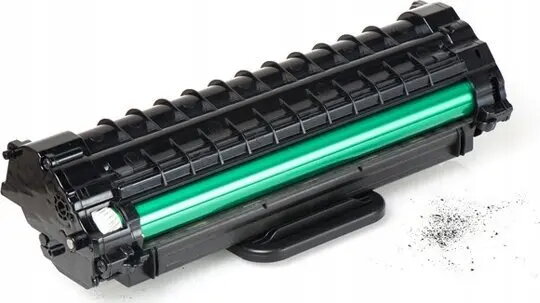
Drum Unit Sharp MXC35DUB, black, yield 125000 pages
Short description


Cheapest delivery:
Unisend LV

Esto — pay in 6 equal parts
Product information
Description
Original Sharp black drum unit designed for compatible Sharp multifunction printers, offering a specified yield of 125,000 pages. This drum unit restores and maintains consistent monochrome imaging by replacing worn photoconductor components during scheduled maintenance. It is intended for office environments and high-volume print workflows where predictable consumable life and stable print quality are required.
Advantages
The drum unit is an OEM part produced to match Sharp printer specifications, providing reliable page yield and uniform density across prints. Using the original drum unit helps maintain printer performance, reduces the risk of image defects such as streaking or uneven toner transfer, and supports consistent text and graphics reproduction. The unit’s design simplifies replacement and integration with printer maintenance cycles to minimize downtime.
Suitable for
- High-volume monochrome printing in offices and departments
- Scheduled maintenance and consumable replacement programs
- Environments requiring consistent text clarity and document reproduction
- Businesses aiming to minimize print interruptions and service calls
Key specifications
- Color: Black (photoconductor/drum for monochrome output)
- Declared yield: 125,000 pages (specified by manufacturer under standard test conditions)
- Format: Replaceable drum unit compatible with specified Sharp multifunction printers
- Function: Photoconductor/drum component responsible for image transfer and print density
- Intended use: Office and high-volume printing environments
How to use
Power off the printer and follow the device manufacturer’s service manual or on-screen instructions to access and remove the exhausted drum unit. Handle the drum by its designated grips and avoid touching the drum surface to prevent contamination. Install the replacement drum unit until it clicks into place, close the printer cover, and power the device back on. After installation, verify the drum status and run a test print or alignment procedure if provided by the printer to confirm correct installation and consistent print quality.
Usage recommendations
Store the drum unit in its original packaging away from direct sunlight, high humidity, or extreme temperatures. Replace the drum unit according to the printer’s maintenance indicators or when print defects appear. For optimal results, use with compatible genuine toner cartridges and follow the printer maintenance schedule specified by Sharp.
Customer reviews
Customer questions
How much does the Sharp MXC35DUB drum unit cost, and is it available for purchase?
If I order this product today, when will I receive my order?
What payment options are available?
Can Sharp MXC35DUB drum unit be purchased with a lease?
- Select the product on the website and add it to your cart;
- When placing your order, choose the payment method “Installments”;
- Fill in the required details for the lending partner;
- Receive a decision within a few minutes.


