


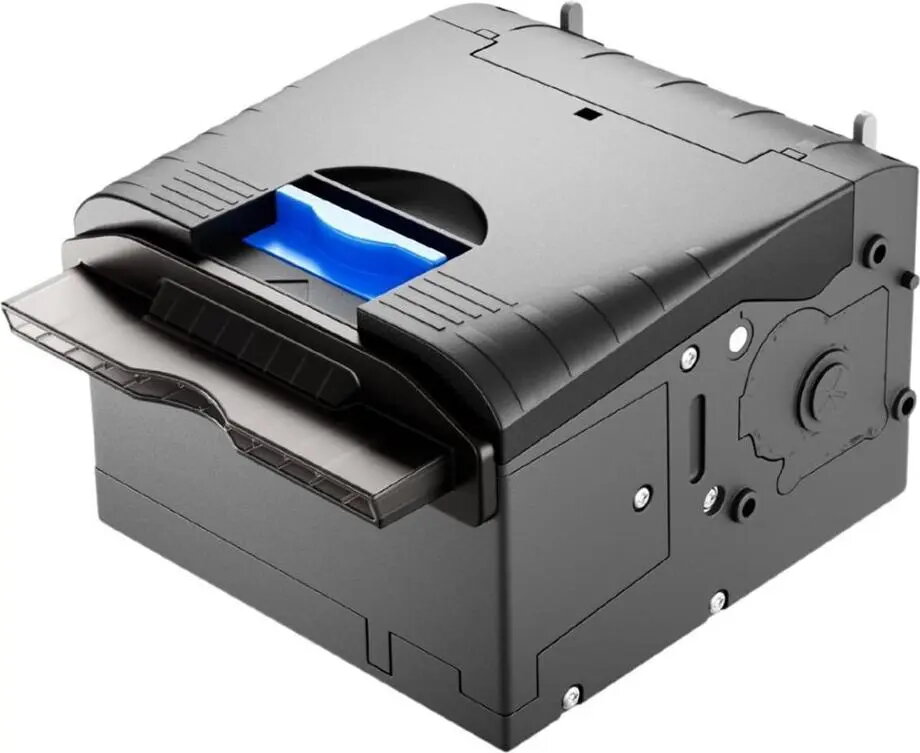
Star Micronics SK5-31 Open Frame Kiosk Printer, 80mm Direct Thermal, 203 dpi, USB and RS232
Offer for a legal entity, non-cash payment.
Short description


Cheapest delivery:
Unisend LV
Product information
Description
The Star Micronics SK5-31 is a high-performance open frame kiosk printer engineered for demanding self-service environments. This direct thermal printer supports 80mm wide paper rolls and delivers crisp 203 dpi resolution, ensuring clear text and barcode reproduction. Designed as a single-arm unit, it includes an integrated cutter and a paper presenter to prevent jams and ensure reliable document handling in automated systems.
Advantages
This printer offers exceptional reliability for unattended operation, minimizing maintenance requirements through its robust mechanical design. The integrated presenter mechanism ensures that documents are fully printed and cut before being presented to the user, which significantly reduces the risk of paper jams and improves the overall user experience. Its compact open frame architecture allows for flexible integration into various kiosk housings, while the dual interface support provides broad compatibility with existing terminal hardware.
Suitable for
- Self-service ticketing kiosks
- Automated payment terminals
- Information and wayfinding stations
- Parking management systems
- Receipt printing in retail kiosks
This unit may not be suitable for applications requiring high-resolution graphics or color printing, as it is strictly a monochrome direct thermal device. Additionally, it is designed for internal integration within a kiosk enclosure and is not intended for standalone desktop use or environments exposed to direct weather elements without proper protective housing.
Key specifications
- Printing method: Direct thermal
- Resolution: 203 dpi (8 dots/mm)
- Media width: 80mm
- Connectivity: USB and RS232
- Features: Integrated cutter and paper presenter
- Design: Single-arm open frame
To use the Star Micronics SK5-31, mount the unit securely within your kiosk chassis using the provided mounting points. Connect the printer to your host system using either the USB or RS232 interface, ensuring that the appropriate drivers are installed on the controlling computer. Load the thermal paper roll into the mechanism, allowing the presenter to guide the paper through the exit slot. Once powered on, the printer will initialize and be ready to receive print commands from your application software.
What to consider before purchase
- Verify the available space within your kiosk housing for the single-arm configuration.
- Ensure your software environment supports the required communication protocols for USB or RS232.
- Confirm that the 80mm paper width meets your specific document requirements.
- Check the power supply requirements for your specific integration setup.
Usage recommendations: Regularly clean the thermal print head and the cutter mechanism to maintain optimal print quality and prevent paper accumulation. Use only high-quality thermal paper compatible with 80mm width specifications to extend the lifespan of the print head.


