


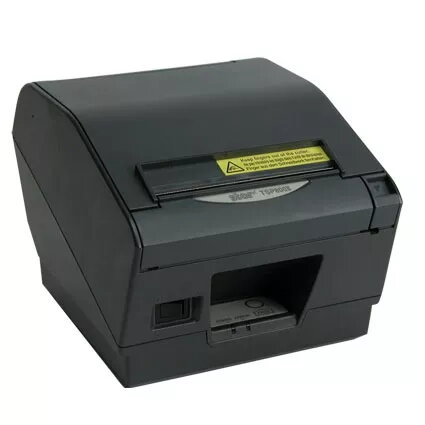
POS printer Star Micronics TSP847II-24
Offer for a legal entity, non-cash payment.
Short description


Cheapest delivery:
Unisend LV
Product information
Description
The Star Micronics TSP847II-24 is a direct thermal POS printer designed for retail and hospitality environments that need reliable receipt and document printing. It delivers a maximum resolution of 406 x 203 DPI and supports media widths of 112 mm and 80 mm, with a maximum printable width of 104 mm. The printer’s compact grey housing measures 180 mm (W) x 213 mm (D) x 148 mm (H) and its 1.9 kg weight makes it suitable for counter-top, wall-mounted, or kiosk installations where space is limited. The TSP847II-24 uses direct thermal technology and operates with a typical current draw of up to 2000 mA to support continuous, high-volume printing.
Advantages
The TSP847II-24 offers high-resolution direct thermal printing with a relatively wide maximum printing width of 104 mm, enabling printing of receipts, wider tickets and scaled A4 content on narrow roll media. Its compact footprint and light weight support flexible placement in shops, restaurants, kiosks and back-office locations. The printer’s support for both 112 mm and 80 mm paper and a print speed of up to 180 mm/sec helps maintain efficient transaction throughput. As a direct thermal device it removes the need for consumable print ribbons, reducing operational complexity and lowering running costs compared with typical A4 laser alternatives.
Suitable for
- Point-of-sale receipt printing in retail and hospitality
- Printing wider format tickets or invoices on roll media
- Back-office A4 report or invoice replacement when scaled to roll paper
- Kiosk or unattended printouts where compact, wall-mountable units are required
Key specifications
- Print technology: Direct thermal
- Maximum resolution: 406 x 203 DPI
- Print speed: up to 180 mm/sec
- Supported paper widths: 112 mm and 80 mm
- Maximum printing width: 104 mm
- Physical dimensions (W×D×H): 180 × 213 × 148 mm
- Weight: 1.9 kg
- Colour: Grey
- Power consumption / current: 2000 mA (typical operating current)
How to use
Install the printer on a stable surface or mount it on a wall using appropriate brackets if required. Load thermal roll media sized to either 112 mm or 80 mm and route the paper through the external paper feed according to the paper loading guide. Connect the printer to your POS system following the manufacturer’s interface instructions and configure page scaling or raster driver settings on the host computer when printing larger documents or A4-scaled content. Use the printer’s controls and status indicators to confirm power and readiness; routine checks of media alignment and clean printhead contact will help maintain print quality.
Usage recommendations
For reliable performance, use quality thermal paper compatible with direct thermal printing and keep the printhead and paper path free of dust and debris. When printing scaled A4 content or thicker media, verify driver scaling settings and test a sample before large runs. In unattended or kiosk installations, secure the unit and provide protected access to paper rolls to avoid tampering and ensure continuous operation.
Features
- Ethernet LAN:
- No
- Wi-Fi:
- No
- Maximum printing width:
- 104 mm
- Type:
- POS printer
- Print technology:
- Direct thermal
- Product colour:
- Grey


