
Hurry and order now – up to 50% off!

{{ totalProductsCount }}
In cart {{totalProductsCount}} item(s)
In cart {{totalProductsCount}} item(s)
Total:
{{sum | formatAmount}}
Your cart is empty
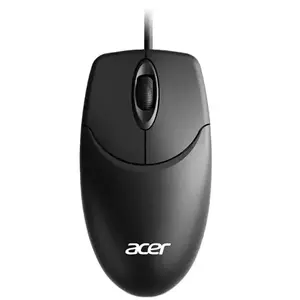
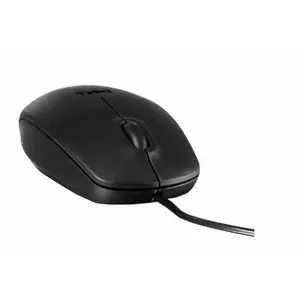
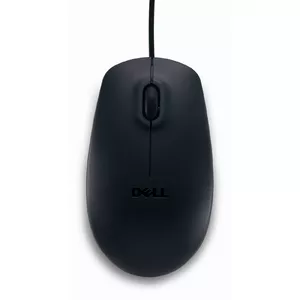
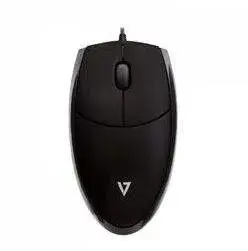
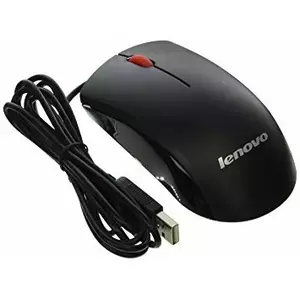
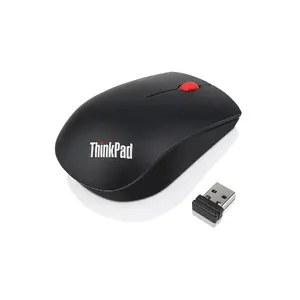
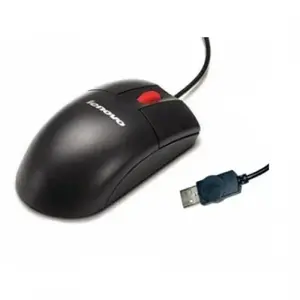
Optical mouse for laptop

Fast delivery available



Fast shipping
Logitech
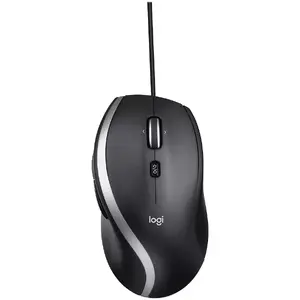
Logitech Advanced Corded Mouse M500s Optical Mouse, Wired, Black
Delivery: Wednesday
35.49 €
Fast delivery available
Fast delivery available
Excellent choice
Fast delivery available

Dell
DELL MS5120W mouse Ambidextrous RF Wireless+Bluetooth Optical 1600 DPI
Delivery: 10.08.2026
30.99 €
Fast delivery available
Excellent choice
Optical mice for laptops are input devices that use an optical sensor to track movement on a surface. These products include compact wired mice, wireless USB-receiver mice, Bluetooth models, and travel-sized designs intended for portable use. They are chosen for tasks that require precise pointer control, comfortable daily navigation, and reliable connectivity with laptops. Many models emphasize low power consumption, small form factors, and simple plug-and-play operation without additional drivers. Buyers select optical mice for work, study, travel, and general home use when a laptop’s built-in trackpad is insufficient or when an external pointing device improves ergonomics and productivity.
Use cases of optical mouse for laptop
Common situations where an optical mouse for a laptop is useful:
- Office work: precise cursor movement for spreadsheets, text editing, and web tasks.
- Remote work and meetings: comfortable navigation during long sessions and document review.
- Travel and mobile use: compact mice that fit laptop bags and require minimal setup.
- Graphic and design tasks: models with higher DPI or adjustable sensitivity for finer control.
- Everyday browsing and multimedia: smoother navigation compared with some trackpads.
Types of optical mouse for laptop
- Wired optical mice: connect via USB cable; offer stable power and connectivity without batteries.
- Wireless USB-receiver mice: use a small dongle and provide reliable short-range wireless connection.
- Bluetooth optical mice: pair with laptops without a USB port and reduce dongle use.
- Travel and mini mice: smaller footprints designed for portability and lightweight carry.
- Ergonomic and vertical mice: shaped to reduce wrist strain during extended use.
Key features to consider
- Sensor resolution (DPI): determines tracking sensitivity; higher DPI for precision tasks, adjustable DPI for flexibility.
- Connection type: USB, wireless dongle, or Bluetooth depending on laptop ports and user preference.
- Size and weight: compact models for travel, larger models for ergonomic comfort.
- Battery life and power: rechargeable vs replaceable batteries and estimated operating time.
- Build and buttons: number of programmable buttons, scroll wheel quality, and durable materials.
- Compatibility: plug-and-play support for common operating systems used on laptops.
How to choose optical mouse for laptop
- Identify primary use: choose compact travel mice for portability or ergonomic models for extended desk use.
- Check laptop ports: prefer Bluetooth if USB ports are limited, or select a wireless dongle if Bluetooth is unavailable.
- Consider sensor DPI and adjustability: higher or adjustable DPI is beneficial for design work and gaming.
- Evaluate battery options: rechargeable models reduce long-term cost; check estimated battery life for wireless mice.
- Try grip and size when possible: match the mouse size to your hand and grip style for comfort.
- Review compatibility and driver needs: ensure the model works with your laptop’s operating system without extra software if preferred.
Which mouses are the most popular and affordable in 2026?
The full list of popular models at affordable prices is available on this page. In 2026, the following models show high demand and an excellent price-to-quality ratio:
- Vention 3-Button USB Wired Optical Mouse, 1200 DPI, 1.5m Cable, Black for 4.99€
- Mouse Esperanza EGM212 USB Type-A for 5.49€
- Gembird MUS-4B-02 Optical Office Mouse, USB, 1200 DPI, 4 Buttons, Right-handed, Black for 5.49€
- Mouse LogiLink ID0062 USB Type-A Optical for 5.49€
- Mouse Esperanza EGM201B USB Type-A Optical Right-hand for 5.99€
Why is it worth buying mouses at AiO.lv?
At the AiO.lv online store, you can place an order at a great price with delivery across Latvia — to Riga, Daugavpils, Liepaja, Jurmala, Ventspils, and other cities, as well as throughout Europe. We offer products from leading manufacturers: Acer, Apple, CORSAIR, Dell, HAMA, HP, IBM, KINGSTON, Lenovo, Logitech, MODECOM, Microsoft, SANDBERG, TRUST, VERBATIM, A4Tech, Asus, acutake, Genius, LOGILINK. When you shop with us, you get:
- official warranty and guaranteed quality;
- convenient payment options (including installment and credit);
- fast and reliable delivery across Latvia and to any EU country.
FAQ
Where can you find a mouses with cheap prices?
You can buy cheaper at the AiO.lv online store. We offer competitive prices and regular discounts, so you always have the chance to find a great deal.
What is the delivery time for mouses?
If you place your order today, delivery will take between 1 and 5 business days depending on the chosen method.
How long is the warranty period for mouses?
Our store provides an official manufacturer’s warranty ranging from 12 to 36 months, depending on the model and brand. If needed, you can always contact our customer service department or the manufacturer’s authorized service center for support.
Are mouses purchasable with leasing?
Yes, if the selected product costs more than €50. You can learn more about installment purchase options and the terms of application on the Payment page.
Can mouses be purchased for a company (with VAT)?
Yes. AiO.lv works with legal entities in Latvia and throughout Europe. All product prices are shown with VAT included. In certain cases, a 0% VAT rate may apply — for example, when purchasing from other EU countries with a valid VAT number. We issue an invoice immediately after the order is placed, support BIS electronic invoices, and automatically generate all required accounting documents. To complete a purchase for a company, simply select the company profile during checkout.


