
Hurry and order now – up to 50% off!

{{ totalProductsCount }}
In cart {{totalProductsCount}} item(s)
In cart {{totalProductsCount}} item(s)
Total:
{{sum | formatAmount}}
Your cart is empty
Outlet PC
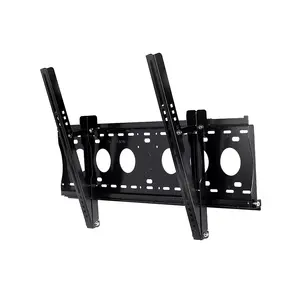
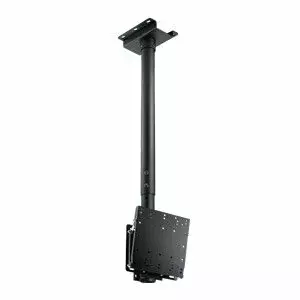
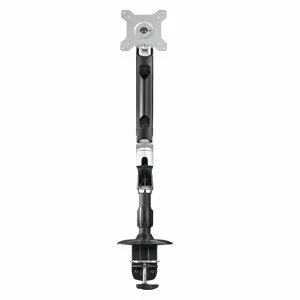
AG Neovo
Desk Mount AG Neovo DMC-01 for 38.1–71.1 cm (15"–28") screens, clamp, VESA 75x75–100x100, 10 kg, black/silver
Delivery: 27.07.2026
180.99 €
Outlet PC refers to personal computers sold in outlet or clearance channels that are typically refurbished, open-box, discontinued models, overstock, or units with minor cosmetic defects; they are functional systems offered at reduced prices for buyers seeking cost-effective computing solutions. These systems include desktops, laptops, all-in-ones, or small form-factor PCs that have been inspected, tested, and in many cases repaired or restored to working condition by technicians or original manufacturers. Buyers choose Outlet PC when they need a working computer for typical tasks—office work, web browsing, media playback, development, or home use—while reducing expenditure compared to new retail models. Outlet PCs are used in scenarios such as budget-conscious home setups, secondary or backup machines, educational use, small business deployment where cost per device matters, or testing and lab environments. Product descriptions and listings for Outlet PC commonly provide details about condition (refurbished, open-box, used), hardware specifications (processor, RAM, storage, GPU), included accessories, warranty terms, and any noted defects or upgrades. Evaluating an Outlet PC requires attention to condition grade, warranty coverage, component specifications, and compatibility with desired software or peripherals to ensure it meets intended use and performance expectations.
Types of Outlet PC
Outlet PCs come in several common forms reflecting their original format and condition. Understanding these types helps match a system to practical needs.
- Refurbished desktops and laptops: Units restored to working order, often with replaced or tested components and software reinstallation.
- Open-box systems: Products returned shortly after purchase with minimal use and typically complete accessories and packaging.
- Used or second-hand PCs: Previously owned machines sold with varying levels of testing and cosmetic wear.
- Discontinued or older models: Older-generation hardware sold after being phased out from current retail lines.
- Overstock and clearance units: New units from excess inventory or seasonal clearance sold at reduced prices.
- Outlet refurbished workstations and small form-factor PCs: Business-oriented or compact models restored for resale.
What are Outlet PC used for?
Outlet PCs serve practical computing needs where cost-efficiency is important and cutting-edge performance is not required. Common uses include:
- Office productivity: Word processing, spreadsheets, email, and videoconferencing.
- Home and family use: Browsing, streaming, schoolwork, and casual gaming on appropriate hardware.
- Education and labs: Classroom computers and student devices where budget and replaceability matter.
- Small business deployment: Cost-managed fleets for point-of-sale, inventory, or administrative tasks.
- Development and testing: Secondary machines for software testing, builds, or experiments.
- Backup and media storage: File servers, media centers, or secondary backup hosts using repurposed hardware.
Key Differences between Outlet PC
Outlet PCs differ by condition, specifications, warranty, and intended use. Key distinctions include:
- Condition grade: New (overstock), open-box, refurbished, or used — each implies different levels of wear, testing, and refurbishment.
- Hardware generation and performance: Processor model, memory capacity, storage type (HDD vs SSD), and GPU determine suitability for tasks.
- Warranty and support: Outlet items may carry manufacturer warranty, limited outlet warranty, or sold-as-is; coverage affects risk and support options.
- Included accessories and software: Power adapters, original packaging, recovery media, and preinstalled operating systems can vary between listings.
- Upgradeability and repairability: Desktop and modular systems often offer easier upgrades than thin laptops or all-in-ones.
- Cosmetic condition: Scratches, dents, or keyboard wear vary and are usually documented in the product listing.
How to Choose Outlet PC?
Selecting an Outlet PC requires matching technical needs, condition tolerance, and support expectations. Follow practical steps:
- Define primary use: Identify whether you need basic productivity, multimedia, light gaming, development, or server tasks to set minimum specs.
- Check core specifications: Prioritize processor model and speed, RAM amount (upgradeable if possible), storage type and capacity, and GPU capability.
- Review condition and grading: Read the condition description carefully for refurbished, open-box, or used status and any listed defects or repairs.
- Confirm warranty and returns: Verify warranty length, what it covers, and the return policy to manage risk.
- Look for included software and accessories: Ensure the operating system, chargers, and necessary cables are included or note additional purchase needs.
- Assess upgrade paths: Favor systems with accessible RAM and storage slots if future upgrades are likely.
- Compare price vs performance: Balance cost savings against potential shortfalls in performance, longevity, or support.
- Ask for serial numbers or detailed photos when needed: For used or high-value items, request verification to confirm authenticity and condition.
Why is it worth buying outlet pc at AiO.lv?
At the AiO.lv online store, you can place an order at a great price with delivery across Latvia — to Riga, Daugavpils, Liepaja, Jurmala, Ventspils, and other cities, as well as throughout Europe. We offer products from leading manufacturers: AG Neovo. When you shop with us, you get:
- official warranty and guaranteed quality;
- convenient payment options (including installment and credit);
- fast and reliable delivery across Latvia and to any EU country.
FAQ
Where can you find a outlet pc with cheap prices?
You can buy cheaper at the AiO.lv online store. We offer competitive prices and regular discounts, so you always have the chance to find a great deal.
What is the delivery time for outlet pc?
If you place your order today, delivery will take between 1 and 5 business days depending on the chosen method.
How long is the warranty period for outlet pc?
Our store provides an official manufacturer’s warranty ranging from 12 to 36 months, depending on the model and brand. If needed, you can always contact our customer service department or the manufacturer’s authorized service center for support.
Are outlet pc purchasable with leasing?
Yes, if the selected product costs more than €50. You can learn more about installment purchase options and the terms of application on the Payment page.
Can outlet pc be purchased for a company (with VAT)?
Yes. AiO.lv works with legal entities in Latvia and throughout Europe. All product prices are shown with VAT included. In certain cases, a 0% VAT rate may apply — for example, when purchasing from other EU countries with a valid VAT number. We issue an invoice immediately after the order is placed, support BIS electronic invoices, and automatically generate all required accounting documents. To complete a purchase for a company, simply select the company profile during checkout.


