Powerful EcoFlow stations for energy anywhere!

{{ totalProductsCount }}
In cart {{totalProductsCount}} item(s)
In cart {{totalProductsCount}} item(s)
Total:
{{sum | formatAmount}}
Your cart is empty
Operating systems
Get it Today
Microsoft
Microsoft Windows 11 Pro 1 License - next-generation operating system
Delivery: Today
159.00 €
Fast shipping

APC
APC Data Center Device Identification Software License Localization DE WNSC010111
Delivery: Thursday
8.99 €
Microsoft
Microsoft Windows 10 IoT Enterprise Microsoft MUV-00005 1 license
Delivery: 03.11.2026
85.49 €
Microsoft
Microsoft Windows 10 IoT Enterprise 1 license 16 GB storage 2 GB RAM
Delivery: 03.11.2026
86.49 €
Microsoft
Microsoft Windows 11 Home Operating System DVD Polish Language 64-bit 1 License KW9-00648
Delivery: Friday
130.49 €
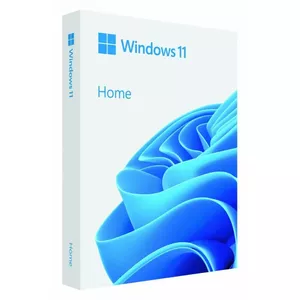
Microsoft
USB flash drive operating system Microsoft Windows Home 11 64-bit, Polish, 64 GB, 1 license (FPP)
Delivery: Friday
130.49 €
Microsoft
Microsoft Windows 10 IoT Enterprise 1 license 16 GB storage 2 GB RAM
Delivery: 03.11.2026
152.49 €
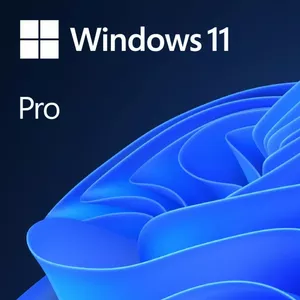
Microsoft
Operating system Microsoft Windows 11 Pro DVD Polish — 64-bit, 1 license
Delivery: Friday
165.99 €
Microsoft
Microsoft Windows 10 IoT Enterprise Microsoft 1 license MUU-00005
Delivery: 03.11.2026
174.49 €
Fast shipping
Microsoft
Software License Microsoft Windows 11 Pro 1 license 64GB storage 4GB RAM
Delivery: Tomorrow
207.49 €
Fast shipping
Fast shipping
Dell
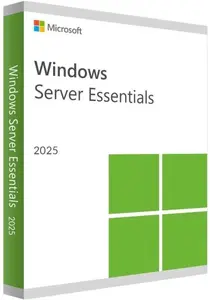
Dell 634-CVDT Windows Server 2025 Essentials OEM Operating System License for 10-core 64-bit computing
Delivery: Thursday
378.99 €
Fast shipping
Microsoft
Charting Microsoft Visio Standard 2024 Full License 1 license Download Windows 10 11
Delivery: Thursday
423.49 €
Fast shipping

COREL
Graphic editor Corel Painter 2023 1 license 3600 MB storage 8192 MB RAM
Delivery: Thursday
427.49 €
Fast shipping
Microsoft
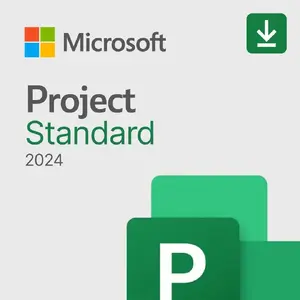
Project management Microsoft Project Standard 2024 Full license 1 license Windows 10 Windows 11
Delivery: Thursday
857.99 €
Fast shipping
Dell
Operating system license Dell 634-CVFM OEM — 1 license, 64-bit compatible
Delivery: Thursday
916.99 €
HP Enterprise
Client Access License HP Enterprise Microsoft Windows Server 2025 50 Users CAL Worldwide Electronic License to Use
Delivery: 09.11.2026
2,971.99 €
Fast delivery available
Operating systems are system software that manage computer hardware, provide common services for application programs, and create an environment for users and software to run. They control resources such as CPU, memory, storage, and peripheral devices, and handle tasks like process scheduling, memory allocation, file management, and device I/O. Users and administrators select operating systems based on device type, performance requirements, security needs, software compatibility, and licensing. In many cases operating systems come with built-in utilities for updates, networking, and user management, and they can be installed on desktops, laptops, servers, embedded systems, and virtual machines. Choosing the right operating system depends on intended use, supported applications, hardware specifications, and maintenance preferences.
Types of Operating systems
Common categories of operating systems reflect their architecture and intended use.
- Desktop and laptop OS: designed for personal computers with graphical user interfaces and broad application support.
- Server OS: optimized for stability, concurrency, network services, and resource management in server environments.
- Mobile OS: tailored for smartphones and tablets with power management, touch input, and app ecosystems.
- Real-time OS (RTOS): built for systems requiring deterministic response times, often used in industrial and embedded devices.
- Embedded OS: lightweight and specialized for hardware-constrained devices like routers, appliances, and IoT gadgets.
- Virtualization and hypervisor OS: provide virtual machine management and isolation for cloud and testing environments.
What are Operating systems used for?
Operating systems serve as the foundational layer that enables hardware and software to work together and provide a stable platform for applications and services.
- Run and manage applications, allocating CPU time and memory to processes.
- Provide user interfaces, from command-line shells to graphical desktops and mobile home screens.
- Manage files and storage, including permissions, directories, and backup mechanisms.
- Control networking capabilities, enabling communication, routing, and remote access.
- Ensure system security through user authentication, permission models, and update mechanisms.
- Support system administration tasks such as monitoring, logging, and automation.
Key Differences between Operating systems
Differences among operating systems arise from design goals, supported hardware, and intended use cases.
- Architecture and kernel type: monolithic, microkernel, or hybrid designs affect performance, modularity, and maintainability.
- User interface: graphical interfaces versus command-line environments determine usability for different audiences.
- Compatibility and software ecosystem: available applications and drivers influence platform choice.
- Security and permission models: varied approaches to user privileges, sandboxing, and update policies.
- Resource requirements: some systems are resource-heavy while others are optimized for low-power or constrained hardware.
- Licensing and support: open-source versus proprietary models affect cost, customization, and vendor support options.
How to Choose Operating systems?
Selecting an operating system involves matching technical requirements, user needs, and long-term maintenance considerations.
- Identify the primary device type and hardware specifications to ensure compatibility and performance.
- Determine required applications and services; confirm that critical software and drivers are supported.
- Assess security requirements and update policies, including available patches and vulnerability management.
- Consider administration and support needs: ease of management, documentation, and community or vendor support.
- Evaluate licensing terms, total cost of ownership, and options for customization or third-party tools.
- Test in a controlled environment when possible, using trial versions, virtual machines, or pilot deployments before full rollout.
Which operating systems are the most popular and affordable in 2026?
The full list of popular models at affordable prices is available on this page. In 2026, the following models show high demand and an excellent price-to-quality ratio:
Why is it worth buying operating systems at AiO.lv?
At the AiO.lv online store, you can place an order at a great price with delivery across Latvia — to Riga, Daugavpils, Liepaja, Jurmala, Ventspils, and other cities, as well as throughout Europe. We offer products from leading manufacturers: APC, COREL, Dell, Microsoft, HP Enterprise, F9. When you shop with us, you get:
- official warranty and guaranteed quality;
- convenient payment options (including installment and credit);
- fast and reliable delivery across Latvia and to any EU country.
FAQ
Where can you find a operating systems with cheap prices?
You can buy cheaper at the AiO.lv online store. We offer competitive prices and regular discounts, so you always have the chance to find a great deal.
What is the delivery time for operating systems?
If you place your order today, delivery will take between 1 and 5 business days depending on the chosen method.
How long is the warranty period for operating systems?
Our store provides an official manufacturer’s warranty ranging from 12 to 36 months, depending on the model and brand. If needed, you can always contact our customer service department or the manufacturer’s authorized service center for support.
Are operating systems purchasable with leasing?
Yes, if the selected product costs more than €50. You can learn more about installment purchase options and the terms of application on the Payment page.
Can operating systems be purchased for a company (with VAT)?
Yes. AiO.lv works with legal entities in Latvia and throughout Europe. All product prices are shown with VAT included. In certain cases, a 0% VAT rate may apply — for example, when purchasing from other EU countries with a valid VAT number. We issue an invoice immediately after the order is placed, support BIS electronic invoices, and automatically generate all required accounting documents. To complete a purchase for a company, simply select the company profile during checkout.


