Dreame vacuums for fast and efficient cleaning!

{{ totalProductsCount }}
In cart {{totalProductsCount}} item(s)
In cart {{totalProductsCount}} item(s)
Total:
{{sum | formatAmount}}
Your cart is empty
Printer Accessories
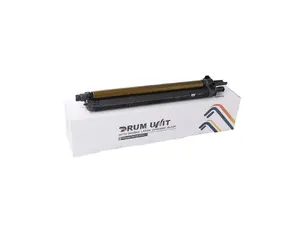
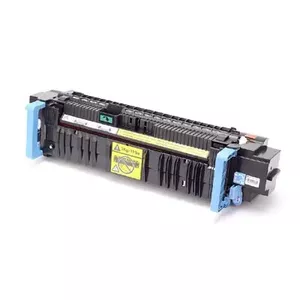

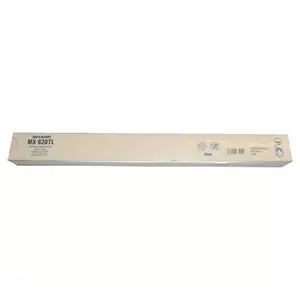
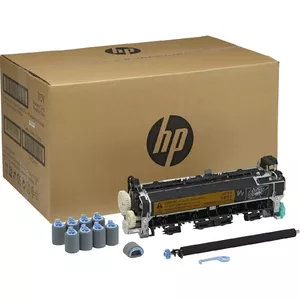
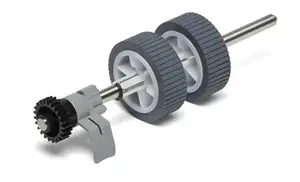
Printer accessories are supplementary products designed to support, maintain or extend the functionality of printers across home, office, and industrial settings. These items include replacement parts, consumables, and add-ons that do not themselves perform primary printing but are necessary for reliable operation, improved output quality, or specific workflows. Customers choose printer accessories when they need to replace worn components, optimize print media handling, expand connectivity, or adapt a printer to particular materials and tasks. Typical reasons to select accessories include reducing downtime, ensuring print consistency, meeting media specifications, and achieving required finishing or handling functions. Accessories are compatible with a range of printer technologies such as inkjet, laser, thermal, and label printers and are selected based on printer model, intended use, and operating environment.
Types of Printers accessories
Common types of printer accessories cover consumables, mechanical parts, and functional add-ons that support different printer models and tasks.
- Ink and toner cartridges, refill kits, and bulk ink systems
- Print heads, fusers, drums, rollers, belts, and pickup assemblies
- Paper trays, feeders, duplex units, and specialty media trays
- Label rolls, ribbons, thermal transfer ribbons, and specialty papers
- Cables, network adapters, wireless modules, and interface cards
- Maintenance kits, cleaning supplies, and calibration tools
- Finishing accessories: cutters, trimmers, staplers, and stackers
- Mounting brackets, stands, dust covers, and environmental protection accessories
What are Printers accessories used for?
Printer accessories serve to maintain printer performance, enable specific printing methods, and handle different media types and finishing tasks.
- Replacing worn or consumed parts to restore print quality and prevent failures.
- Supplying ink, toner, or thermal transfer materials required for image formation.
- Managing and feeding various paper sizes and weights reliably through the printer.
- Connecting printers to networks or devices and expanding communication options.
- Cleaning and calibrating printers to maintain color accuracy and mechanical precision.
- Adding finishing functions such as cutting, stapling, or stacking printed output.
- Protecting printers from dust, moisture or mechanical damage in demanding environments.
Key Differences between Printers accessories
Accessories differ by compatibility, function, quality standards, and intended operating conditions, which affects selection and performance.
- Compatibility: accessories are designed for specific printer models or families; incorrect matches can cause errors or damage.
- Material and quality: OEM, compatible third-party, and remanufactured options vary in lifespan and consistency.
- Function: consumables provide media or materials, mechanical parts restore movement, and add-ons expand capabilities.
- Durability and duty cycle: some parts are rated for high-volume, continuous use while others suit occasional use.
- Connectivity and standards: interface modules differ by supported protocols (USB, Ethernet, Wi‑Fi, Bluetooth).
- Media handling: trays and feeders are designed for certain sizes, weights, and surface types of paper or labels.
How to Choose Printers accessories?
Choosing printer accessories requires matching product specifications to the printer model, the intended workload, and media or connectivity needs.
- Verify model compatibility using the printer make and model or manufacturer part numbers.
- Consider OEM versus compatible supplies based on budget, required reliability, and warranty implications.
- Match consumable specifications (yield, ink type, toner formulation, ribbon type) to printing requirements.
- Assess duty cycle and select parts rated for the expected monthly volume and operating conditions.
- Check media specifications for trays and feeders: supported sizes, weights, coatings, and wound roll diameters.
- Confirm connectivity options and protocol support for networked environments and device integration.
- Include maintenance items and spares that reduce downtime, such as cleaning kits and common wear parts.
- Refer to manufacturer documentation and part numbers when available to ensure correct fit and function.


