
Save time and money with our discounts!
In cart {{totalProductsCount}} item(s)
Your cart is empty
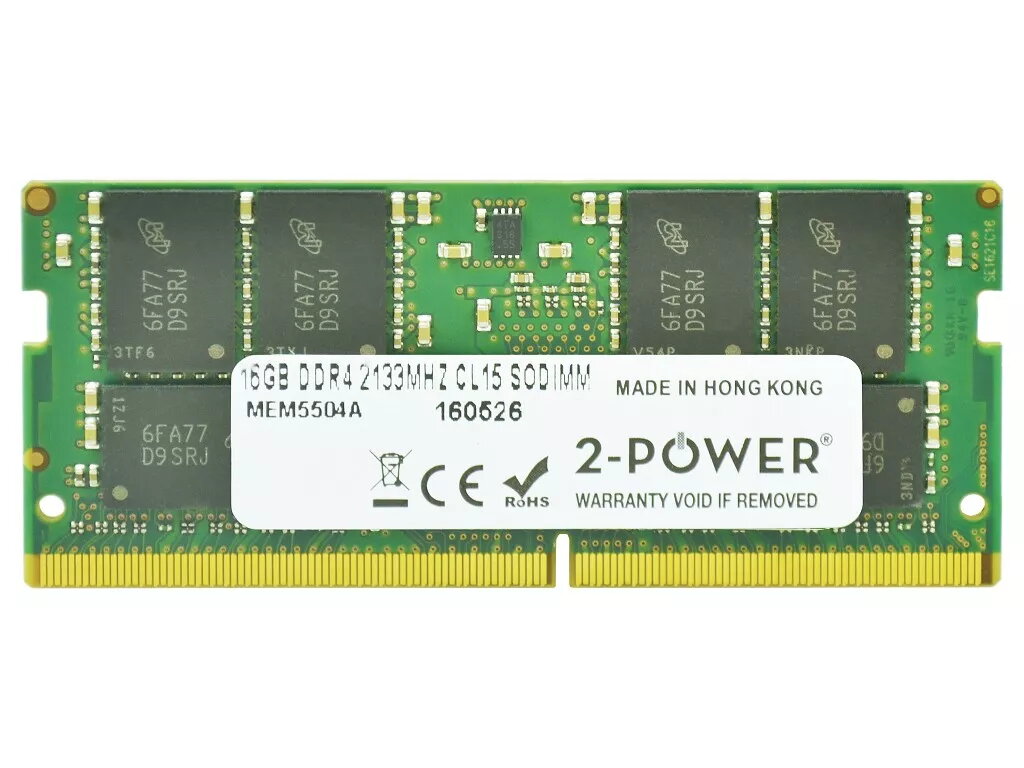
2-Power 16GB DDR4 2133MHz CL15 SoDIMM Memory for Laptop
The 2-Power 16GB DDR4 2133MHz CL15 SoDIMM Memory for Laptop is a single-module upgrade designed to increase a laptop's available RAM to 16GB. With DDR4 technology, a 2133MHz clock speed and CL15 latency, this SO-DIMM module improves multitasking and system responsiveness without replacing the whole device. The module is manufactured by 2-Power and carries the brand's stated lifetime warranty for compatibility and reliability.
This 16GB DDR4 2133MHz SO-DIMM provides faster application loading and smoother switching between programs compared with lower-capacity or older-generation memory. The CL15 CAS latency and DDR4 architecture balance speed and stability for typical laptop workloads. As a single 16GB module, it enables straightforward upgrades and keeps one memory slot available for future expansion. 2-Power guarantees compatibility and backs the module with a lifetime warranty.
Power off the laptop, unplug the power adapter and remove the battery if possible. Open the memory compartment or back cover following the laptop manufacturer's instructions. Discharge static by touching a grounded metal surface, then insert the SO-DIMM module into an available memory slot at the correct angle until the side clips engage. Replace the cover and battery, reconnect power, and boot the laptop. Verify the new memory is detected in the operating system or BIOS/UEFI.
Install the module in accordance with your laptop manual. For dual-channel operation, match capacities and speeds across installed modules. If unsure about compatibility with a specific laptop model, consult the manufacturer's memory support list or contact 2-Power support before purchase.
{{highlightedFeature.featureTitle}}:
{{getProductFeatureValueById(product, highlightedFeature.featureId)}}
{{ productComparisonGenerationError }}
