
Powerful EcoFlow stations for energy anywhere!
In cart {{totalProductsCount}} item(s)
Your cart is empty
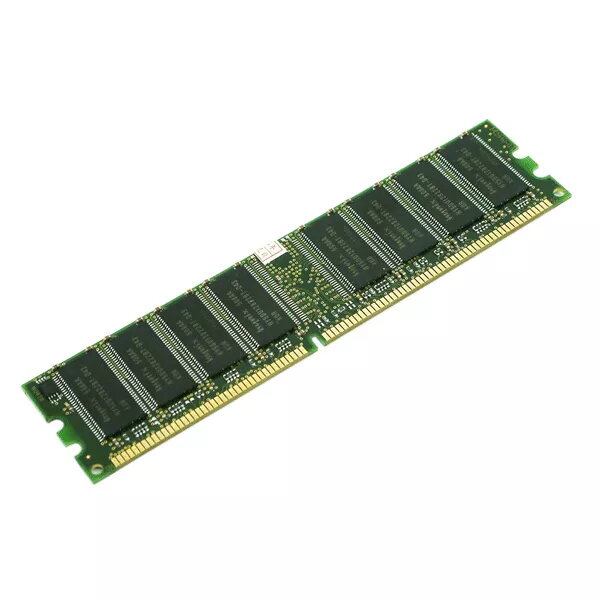
Memory Module 2-Power 2P-5M30Z71813 16GB DDR4 3200MHz
The 2-Power 2P-5M30Z71813 16GB DDR4 3200MHz memory module is a single 16GB DIMM designed to increase system memory capacity and responsiveness. It uses DDR4 technology with a clock speed of 3200 MHz and a CAS latency of 22 in a 288-pin DIMM form factor, intended for compatible desktop motherboards and systems that accept standard unbuffered DDR4 modules.
This memory module delivers higher bandwidth for data-intensive tasks and smoother multitasking compared with lower-frequency modules. The 16GB capacity supports larger working sets for applications, while the 3200 MHz clock provides improved data transfer rates. The 288-pin DIMM standard ensures physical compatibility with most desktop DDR4 slots, and the module’s straightforward design simplifies installation and system upgrades.
Power off the computer and disconnect it from the mains before installing the memory module. Open the system case, locate an empty compatible 288-pin DDR4 DIMM slot on the motherboard, and align the module with the slot notch. Firmly press the module into the slot until the retention clips engage. Close the case, reconnect power, and start the system. Confirm that the BIOS/UEFI and operating system recognize the new 16GB module and that memory settings match the intended 3200 MHz speed; adjust BIOS/UEFI memory profiles if necessary.
For best compatibility, install memory modules in matched pairs where supported by the motherboard to enable dual-channel operation. Ensure the motherboard supports DDR4 3200 MHz and the total memory capacity planned. When mixing modules, use modules of the same type and similar timings to avoid instability.
{{highlightedFeature.featureTitle}}:
{{getProductFeatureValueById(product, highlightedFeature.featureId)}}
{{ productComparisonGenerationError }}
