
Filters you can trust. Pure water every day.
In cart {{totalProductsCount}} item(s)
Your cart is empty
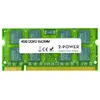
2-Power 4GB DDR2 800MHz SoDIMM Memory A2010224 Laptop RAM
The 2-Power 4GB DDR2 800MHz SoDIMM Memory A2010224 upgrades laptop performance by adding 4GB of DDR2 RAM running at 800MHz. Designed as a compact SoDIMM module for compatible notebooks, this 2-Power memory module improves system responsiveness and enables smoother multitasking without replacing the entire device. The product is covered by a lifetime warranty and the manufacturer guarantees compatibility with supported systems.
This 4GB DDR2 800MHz SoDIMM delivers a balanced combination of capacity and speed for older laptops that use DDR2 memory. With a CAS latency of 6, the module provides predictable performance for everyday computing tasks, faster application load times, and improved ability to run multiple programs simultaneously. The compact SoDIMM form factor is suitable for notebook slots, and the lifetime warranty offers long-term support.
Power off the laptop and remove the battery if applicable. Locate the memory compartment or access panel, then remove the existing module(s) if necessary by releasing the retention clips. Align the notch of the 2-Power DDR2 SoDIMM module with the slot and insert it at a slight angle, then press down until the clips lock it in place. Reassemble the access panel or battery, power on the laptop, and verify the system recognizes the new 4GB memory in the operating system or BIOS.
Check the laptop’s service manual or manufacturer specifications to confirm support for DDR2 800MHz SoDIMM modules and the maximum supported memory capacity. For dual-channel setups, install matching modules in the correct paired slots. Handle the memory module by its edges and avoid contact with gold contacts to reduce electrostatic or physical damage.
{{highlightedFeature.featureTitle}}:
{{getProductFeatureValueById(product, highlightedFeature.featureId)}}
{{ productComparisonGenerationError }}