

Dreame vacuums for fast and efficient cleaning!
In cart {{totalProductsCount}} item(s)
Your cart is empty
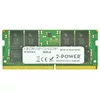
2-Power 16GB DDR4 2133MHz CL15 SoDIMM Memory A8860720
Keep your laptop responsive and capable of running multiple applications by upgrading its memory with the 2-Power 16GB DDR4 2133MHz CL15 SoDIMM module. This single 16 GB module operates at 2133 MHz with CL15 latency, providing a straightforward increase in available RAM without replacing the entire device. The module is designed to fit notebook SoDIMM slots and is intended to improve multitasking and overall system responsiveness. 2-Power guarantees compatibility for its memory products and covers this module with a lifetime warranty.
The 2-Power 16GB DDR4 2133MHz SoDIMM provides a direct and compatible way to increase laptop memory capacity, improving multitasking and application load times. Its CL15 latency and 2133 MHz clock speed offer dependable performance for everyday and demanding tasks. The module is easy to install in supported SoDIMM slots and comes with a lifetime warranty from 2-Power.
Power off the laptop and remove the battery if applicable. Open the laptop’s memory compartment following the manufacturer’s instructions. Align the notch of the SoDIMM module with the slot, insert the module at a slight angle, then press down until it clicks into place and the retaining clips secure it. Reassemble the laptop, reconnect power, and start the system. Verify the new memory is recognised in the operating system or BIOS/UEFI.
Ensure the laptop supports DDR4 2133MHz SoDIMM modules and the intended capacity before installation. If the system already uses a memory module in dual-channel configuration, consider matching module specifications for optimal performance. Handle the module with care and follow anti-static precautions during installation.
{{highlightedFeature.featureTitle}}:
{{getProductFeatureValueById(product, highlightedFeature.featureId)}}
{{ productComparisonGenerationError }}
