
Dreame vacuums for fast and efficient cleaning!
In cart {{totalProductsCount}} item(s)
Your cart is empty
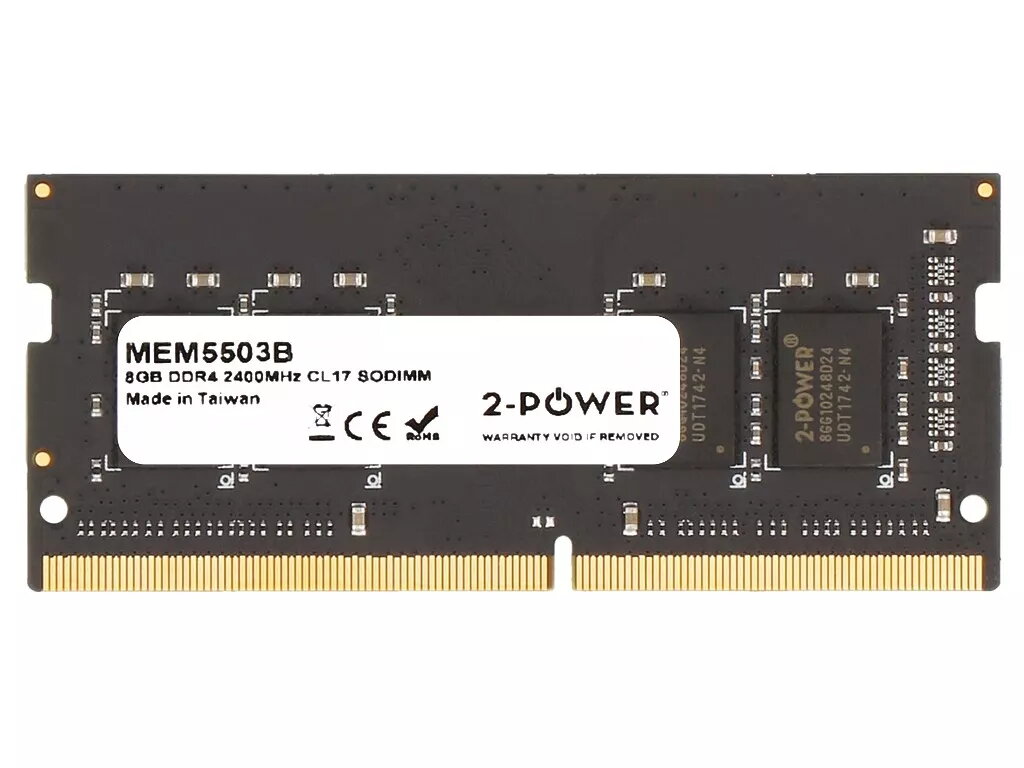
2-Power 8GB DDR4 2400MHz CL17 SODIMM Memory
Upgrade your laptop's memory with the 2-Power 8GB DDR4 2400MHz CL17 SODIMM Memory. This 8 GB DDR4 module at 2400 MHz and CAS latency CL17 fits standard SODIMM slots in many laptops and provides increased capacity and bandwidth for smoother multitasking and improved system responsiveness without replacing the entire machine. The module is produced by 2-Power and comes with a lifetime warranty and guaranteed compatibility with supported systems.
The 2-Power 8GB DDR4 2400MHz CL17 SODIMM improves application loading and system responsiveness while enabling more programs to run simultaneously. Its SODIMM form factor is compact and suitable for laptop installations. The module offers stable DDR4 performance at 2400 MHz and is covered by a lifetime warranty from the manufacturer.
Power off the laptop, disconnect any power sources and remove the battery if applicable. Open the access panel to reach the memory slot(s), then carefully release the existing module by spreading the retention clips and sliding the SODIMM out at an angle. Align the notch of the 2-Power 8GB DDR4 2400MHz CL17 SODIMM with the slot, insert it at an angle and press down until the retention clips lock into place. Reassemble the laptop, reconnect power, and power on. Check system BIOS/UEFI or operating system to confirm the new memory is recognized.
Before installation, verify your laptop supports DDR4 SODIMM modules and the 2400 MHz speed. When mixing modules, ensure compatibility of voltage and timings; for optimal results, use matched pairs or identical modules. Handle the memory module by its edges and observe electrostatic discharge (ESD) precautions.
{{highlightedFeature.featureTitle}}:
{{getProductFeatureValueById(product, highlightedFeature.featureId)}}
{{ productComparisonGenerationError }}
