

Filters you can trust. Pure water every day.
In cart {{totalProductsCount}} item(s)
Your cart is empty
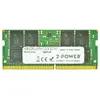
2-Power 16GB DDR4 2133MHz CL15 SoDIMM Memory Internal memory 16GB
2-Power 16GB DDR4 2133MHz CL15 SoDIMM memory module increases the RAM capacity of compatible laptops, providing 16GB of DDR4 memory at 2133MHz with CAS latency CL15. The module is intended to improve system responsiveness and enable smoother multitasking without replacing the entire device. The product is manufactured by 2-Power and carries the MPN 2P-KCP421SD8/16.
This 2-Power DDR4 16GB SoDIMM offers higher memory capacity for laptops, faster data access at 2133MHz and a CL15 latency for balanced performance. It allows running more applications concurrently and reduces slowdowns during switching between tasks. The module is stated to be fully compatible with supported systems and is covered by a lifetime warranty from the manufacturer.
Power off the laptop and remove the battery if applicable. Open the memory compartment or back cover according to the laptop manufacturer's instructions, carefully discharge static and remove the existing SoDIMM if necessary. Align the gold contacts and notch of the 2-Power 16GB DDR4 2133MHz CL15 SoDIMM with the socket, insert at an angle, then press down until it clicks into place. Reassemble the laptop, reconnect power, and start the system. Verify the new memory is recognized in the operating system or BIOS.
Install this 16GB DDR4 2133MHz CL15 SoDIMM in laptops that support DDR4 SoDIMM modules at 2133MHz. Check your laptop's specifications for supported memory capacity, speed, and maximum module size before installation. Handle the module by the edges and avoid contact with the gold contacts to prevent damage.
{{highlightedFeature.featureTitle}}:
{{getProductFeatureValueById(product, highlightedFeature.featureId)}}
{{ productComparisonGenerationError }}
