
Filters you can trust. Pure water every day.
In cart {{totalProductsCount}} item(s)
Your cart is empty
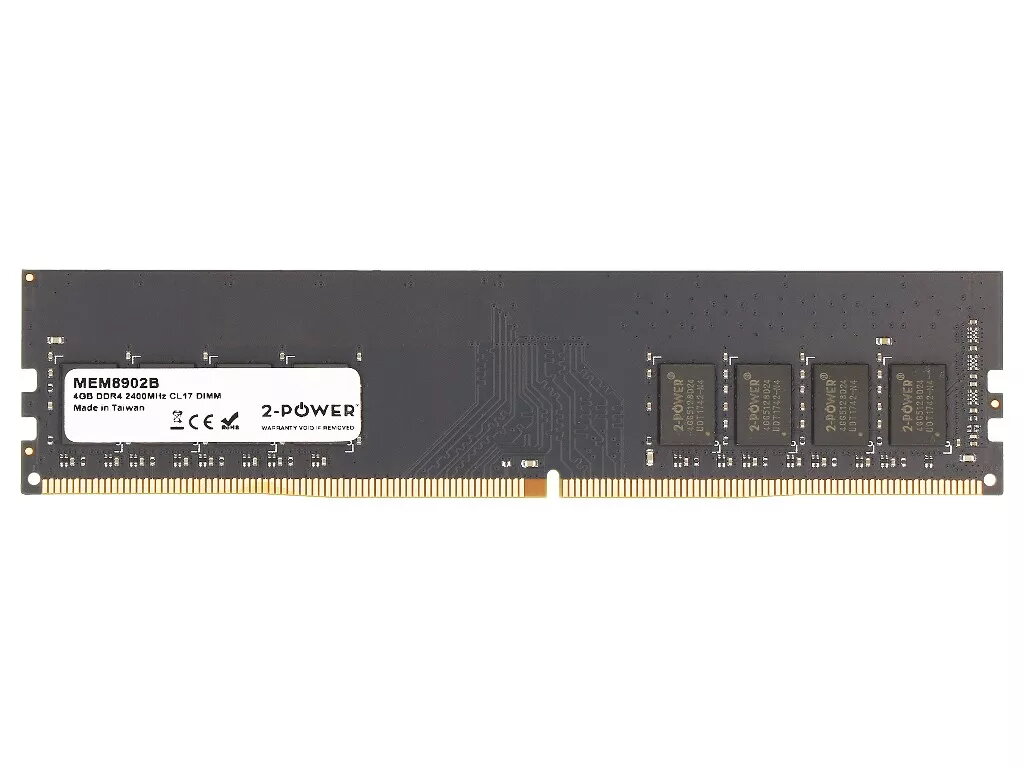
Desktop/Server DDR4 4GB 2400MHz CL17 DIMM memory module by 2-Power (1×4GB)
2-Power Desktop/Server DDR4 4GB 2400MHz CL17 DIMM is a single-module internal memory component designed for desktop PCs and compatible server systems that use standard DDR4 DIMM slots. The module provides 4 GB of system memory at a DDR4 2400 MHz clock rate with CAS latency CL17, implemented as a 1×4 GB configuration. It is intended for capacity upgrades or repairs where a single 4 GB DIMM is required.
This 4 GB DDR4 module delivers industry-standard DDR4 performance at 2400 MHz with CL17 latency, offering predictable memory timing and stable operation in systems that support these parameters. As a single-module solution, it allows straightforward installation into an available DIMM slot without changing other components. The form factor and electrical characteristics match typical desktop and server DDR4 DIMM requirements, enabling compatibility with many motherboards that accept DDR4 memory.
Power down the computer and disconnect it from its power source before installing the DIMM. Open the system case to access the memory slots, locate an available compatible DDR4 DIMM slot, align the module with the slot so the notch matches the key in the socket, and press evenly until the retaining clips latch. Reassemble the case, reconnect power, and boot the system. Confirm detection of the new 4 GB module in the system BIOS/UEFI or operating system memory settings and verify operation at the expected 2400 MHz and CL17 timing where supported by the platform.
For best results, install the module into a motherboard slot that supports DDR4 2400 MHz operation and verify compatibility with the system manual. When adding memory to an existing configuration, consider matching capacity, speed, and latency of installed modules to maintain optimal dual-channel or multi-channel performance. Observe anti-static precautions during installation and consult the motherboard documentation for slot population order if populating multiple modules.
{{highlightedFeature.featureTitle}}:
{{getProductFeatureValueById(product, highlightedFeature.featureId)}}
{{ productComparisonGenerationError }}
