
Save time and money with our discounts!
In cart {{totalProductsCount}} item(s)
Your cart is empty
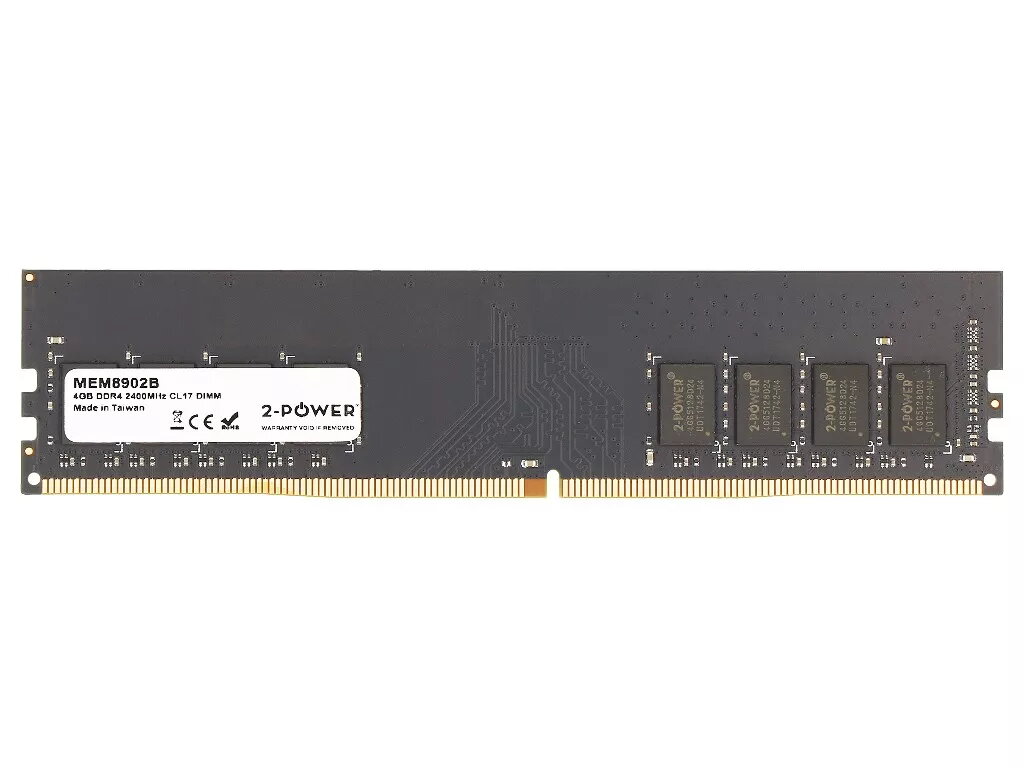
Desktop/server RAM 2-Power 4GB DDR4 2400MHz CL17 288-pin DIMM (1x4GB)
2-Power 4GB DDR4 2400MHz CL17 288-pin DIMM (1x4GB) is a single-module internal memory component designed for use in compatible desktop and server motherboards. This DDR4 memory module offers 4 GB capacity, operates at a memory clock of 2400 MHz and uses CAS latency 17. It is intended for upgrading or replacing existing DIMM modules to expand system memory and improve multitasking and application responsiveness on supported systems.
The module delivers a straightforward capacity increase for systems with free or replaceable 288-pin DIMM slots, providing enhanced multitasking and smoother application performance within the limits of a 4 GB module. DDR4 technology and the 2400 MHz clock rate offer improved power efficiency and data transfer rates compared with earlier generation memory. The single-module format allows for simple installation and targeted upgrades without changing other components.
Power off the computer and disconnect from the mains before installing the module. Open the system case according to the manufacturer's instructions, locate an empty or replaceable 288-pin DDR4 DIMM slot on the motherboard, and align the module with the slot notch. Press evenly until the module clicks into place and the retention clips secure it. Reassemble the case, reconnect power, and verify memory recognition in the system BIOS/UEFI or operating system. If replacing an existing module, remove the old DIMM by releasing the retention clips before inserting the new module.
Ensure motherboard and CPU compatibility with DDR4 2400 MHz modules before purchase. For best performance, consult the motherboard manual regarding supported memory configurations and pairing modules of similar capacity and speed. Use an anti-static wrist strap or discharge static by touching a grounded metal surface before handling the module. Back up important data prior to hardware changes and confirm system detection after installation.
{{highlightedFeature.featureTitle}}:
{{getProductFeatureValueById(product, highlightedFeature.featureId)}}
{{ productComparisonGenerationError }}
