

Dreame vacuums for fast and efficient cleaning!
In cart {{totalProductsCount}} item(s)
Your cart is empty
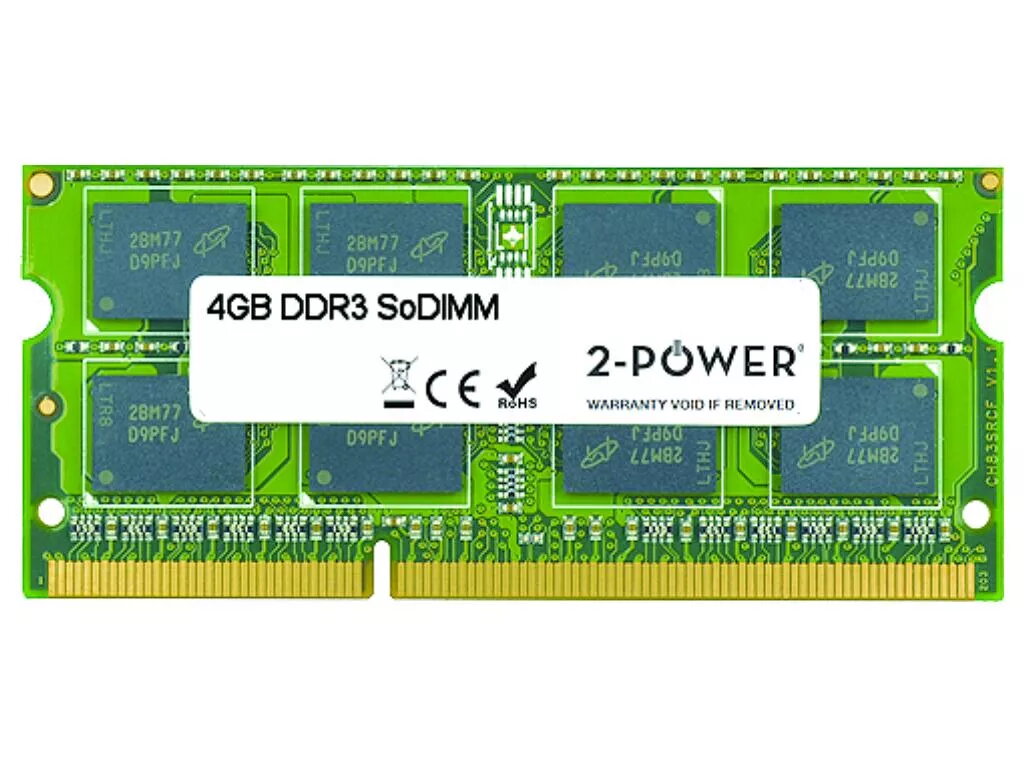
2-Power 4GB MultiSpeed 1066/1333/1600 MHz SoDIMM Memory DDR3L
Upgrade your laptop memory with the 2-Power 4GB MultiSpeed SoDIMM DDR3L module that supports 1066, 1333 and 1600 MHz. This 4GB module with CAS latency 11 is designed for notebooks and offers improved responsiveness and smoother multitasking without replacing the entire machine. 2-Power guarantees compatibility and backs the memory with a lifetime warranty.
The module supports multiple common DDR3L speeds, allowing automatic compatibility with a wide range of laptops. With 4GB capacity and CL11 timing it helps reduce application load times and enables running several programs more smoothly. Low-voltage DDR3L design improves energy efficiency compared with standard DDR3 memory. Lifetime warranty from 2-Power provides long-term coverage.
Power off the laptop and remove the battery if applicable. Open the memory compartment or access panel according to the laptop manufacturer’s instructions. Align the SO‑DIMM module with the slot notch and insert it at an angle, then press down until it clicks into place and the retention clips engage. Reassemble the laptop, reconnect power and start the system; the memory should be detected automatically. Refer to the laptop manual for model‑specific steps and safety precautions.
For best results, match the module speed and voltage with the existing memory or install identical modules in pairs for dual‑channel operation. Ensure your laptop supports DDR3L SO‑DIMM and the listed speeds before installing. If unsure, consult the laptop manufacturer’s specifications.
{{highlightedFeature.featureTitle}}:
{{getProductFeatureValueById(product, highlightedFeature.featureId)}}
{{ productComparisonGenerationError }}
