
Dreame vacuums for fast and efficient cleaning!
In cart {{totalProductsCount}} item(s)
Your cart is empty
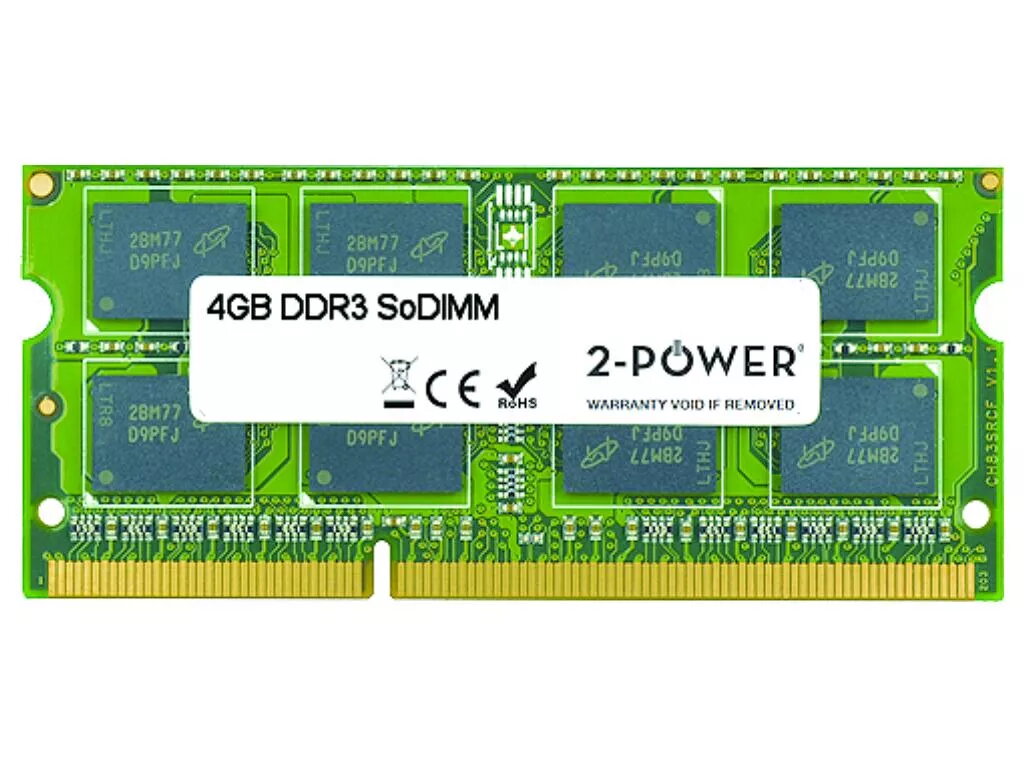
2-Power 4GB MultiSpeed 1066/1333/1600 MHz SoDIMM Memory DDR3L
Upgrade laptop performance with the 2-Power 4GB MultiSpeed SoDIMM Memory DDR3L. This 4GB module supports DDR3L technology and operates at up to 1600 MHz with CAS latency 11, providing a straightforward way to improve responsiveness and multitasking without replacing the whole machine. The module is supplied by 2-Power and replaces part number KN.4GB0C.004; 100% compatibility is claimed and the product is covered by a lifetime warranty.
The 2-Power 4GB MultiSpeed SoDIMM increases system responsiveness, shortens application load times and allows smoother multitasking on compatible laptops. Its DDR3L design offers lower voltage operation compared to standard DDR3, and the product is backed by a lifetime warranty from 2-Power.
Power off the laptop, disconnect any power sources and remove the battery if applicable. Open the memory compartment following the laptop manufacturer's instructions, remove the existing SoDIMM if necessary by releasing the side clips, and insert the 2-Power 4GB DDR3L SoDIMM into the slot at a 45-degree angle until it clicks into place. Reassemble the laptop, reconnect power and boot the system. Verify that the operating system recognizes the new memory in BIOS/UEFI or system settings.
Ensure the laptop supports DDR3L SoDIMM modules and the chosen frequency range (1066/1333/1600 MHz). When mixing with existing memory, use modules with compatible voltage and timings to avoid stability issues. Follow electrostatic discharge (ESD) precautions when handling the memory module.
{{highlightedFeature.featureTitle}}:
{{getProductFeatureValueById(product, highlightedFeature.featureId)}}
{{ productComparisonGenerationError }}
