
Hurry and order now – up to 50% off!
In cart {{totalProductsCount}} item(s)
Your cart is empty
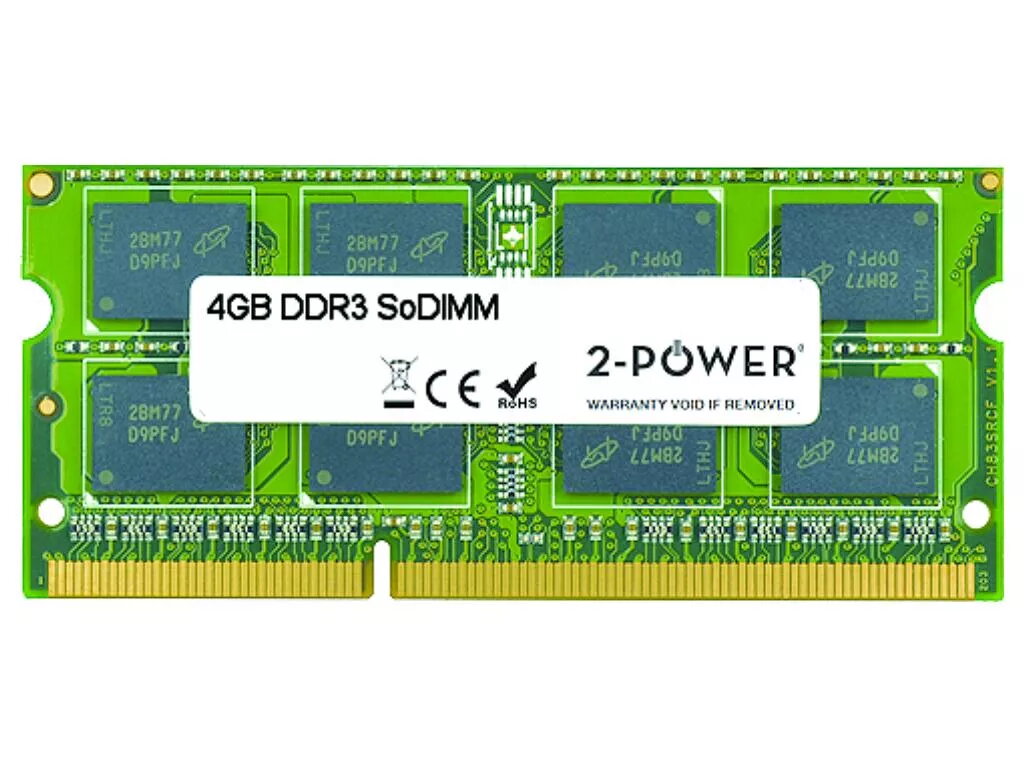
Memory Module 2-Power 2P-S26391-F1332-L400 4 GB DDR3L 1600 MHz
Keep your laptop responsive and capable of handling multiple applications with the 2-Power 2P-S26391-F1332-L400 memory module. This 4 GB DDR3L 1600 MHz SO-DIMM is designed for notebook use, offering a balance of capacity and speed to improve everyday performance without replacing the entire machine. The module has CAS latency 11 and is backed by 2-Power compatibility assurance and a lifetime warranty.
The 2-Power 4 GB DDR3L 1600 MHz module increases system responsiveness, reduces application load times and enables smoother multitasking on compatible laptops. It uses a low-voltage DDR3L specification to maintain energy efficiency while delivering stable performance, and comes with a lifetime warranty for long-term reliability.
Power off the laptop, disconnect any power sources and remove the battery if applicable. Open the memory compartment according to the laptop manufacturer’s instructions, gently insert the module into the SO-DIMM slot at an angle and press down until the side clips lock. Reassemble the laptop, reconnect power and start the system; the memory should be detected automatically. Refer to your laptop manual for any model-specific steps or BIOS settings.
Verify that your laptop supports DDR3L 1600 MHz SO-DIMM and check the maximum supported memory per slot before installation. For best results, install memory modules in matched pairs when the system supports dual-channel operation.
{{highlightedFeature.featureTitle}}:
{{getProductFeatureValueById(product, highlightedFeature.featureId)}}
{{ productComparisonGenerationError }}
