Hurry and order now – up to 50% off!
In cart {{totalProductsCount}} item(s)
Your cart is empty
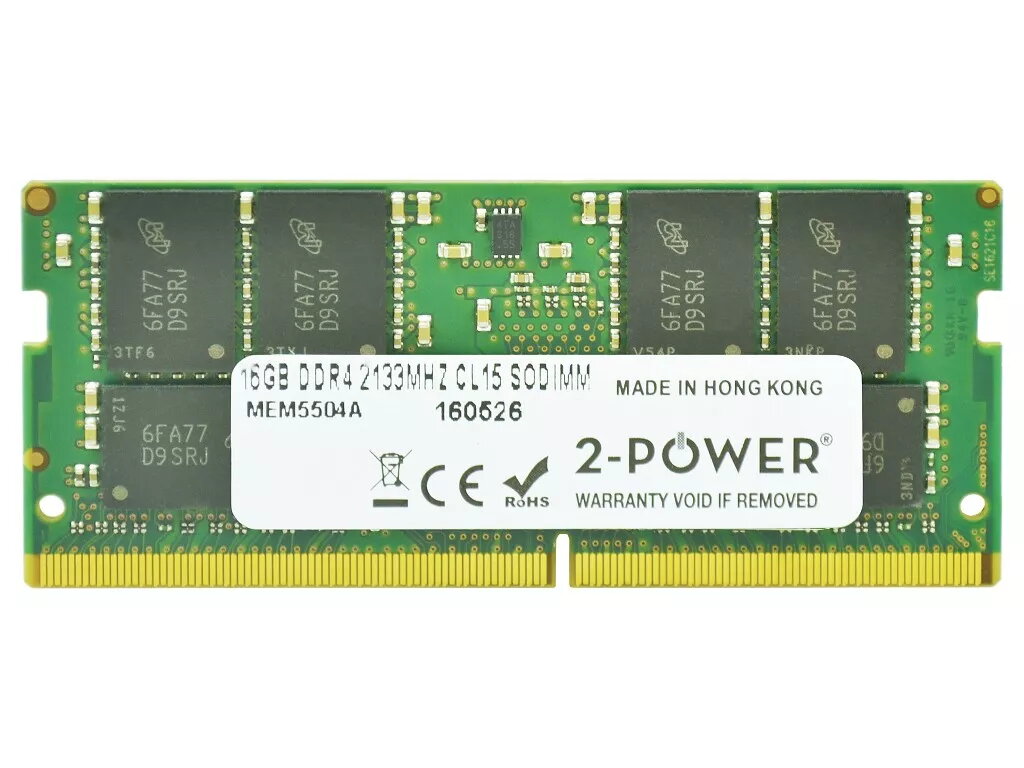
2-Power 16GB DDR4 2133MHz CL15 SoDIMM Memory Laptop
Upgrade your laptop memory with the 2-Power 16GB DDR4 2133MHz CL15 SoDIMM module. This 16GB DDR4 SoDIMM operating at 2133MHz with CL15 latency improves system responsiveness and enables smoother multitasking without replacing the entire machine. The module is designed specifically for laptops and comes from 2-Power with guaranteed compatibility and a lifetime warranty.
The 2-Power 16GB DDR4 2133MHz CL15 SoDIMM increases available RAM to handle multiple applications simultaneously, reduces slowdowns during switching and loading, and provides stable performance at standard DDR4 timings. Its SoDIMM form factor is compact and suitable for most laptop memory slots, and the product is backed by 2-Power's lifetime warranty for peace of mind.
Power off the laptop and remove the battery if possible. Open the memory compartment or access panel following the laptop manufacturer’s instructions. Ground yourself to avoid static discharge, remove the existing module if replacing, align the notch of the SoDIMM and insert the 2-Power module at a slight angle, then press down until it clicks into the retention clips. Reassemble the laptop, reconnect power, and boot to confirm the system recognizes the new 16GB memory. Check BIOS/UEFI and the operating system to verify correct capacity and speed.
Before upgrading, confirm your laptop supports DDR4 2133MHz SoDIMM modules and the maximum supported memory per slot. For best results, match capacity and speed when installing in dual-channel configurations (install identical modules in both slots).
{{highlightedFeature.featureTitle}}:
{{getProductFeatureValueById(product, highlightedFeature.featureId)}}
{{ productComparisonGenerationError }}