
Save time and money with our discounts!
In cart {{totalProductsCount}} item(s)
Your cart is empty
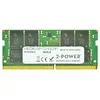
2-Power 16GB DDR4 2133MHz CL15 SoDIMM Memory Laptop Component
2-Power 16GB DDR4 2133MHz CL15 SoDIMM Memory is a laptop RAM module that provides 16 GB of system memory, operating at 2133 MHz with CAS latency CL15. Designed as a drop-in upgrade for compatible notebooks and small form-factor systems, this SoDIMM module helps improve multitasking and application responsiveness without replacing the whole device. The module is finished in black and green and is backed by 2-Power's lifetime warranty with guaranteed compatibility.
This 16GB DDR4 SoDIMM increases available memory to reduce page-swapping and improve performance when running multiple applications. The 2133 MHz clock frequency and CL15 latency balance speed and stability for everyday computing and productivity tasks. As a single-module upgrade, it offers an easy installation path and is covered by a lifetime warranty for long-term reliability.
Power off the laptop and disconnect all power sources. Open the memory compartment or remove the access panel according to the device manufacturer's instructions. Carefully align the module with the SoDIMM slot and insert it at a slight angle, then press down until the retaining clips engage. Replace the access panel, reconnect power, and start the system. Verify the new memory is recognised in the operating system or BIOS/UEFI settings.
Ensure the laptop or compact PC supports DDR4 SoDIMM modules and the 2133 MHz speed; consult the device manual or manufacturer's specifications before purchase. For dual-channel operation, consider installing matched modules in pairs and handle the RAM module by the edges to avoid electrostatic discharge.
{{highlightedFeature.featureTitle}}:
{{getProductFeatureValueById(product, highlightedFeature.featureId)}}
{{ productComparisonGenerationError }}