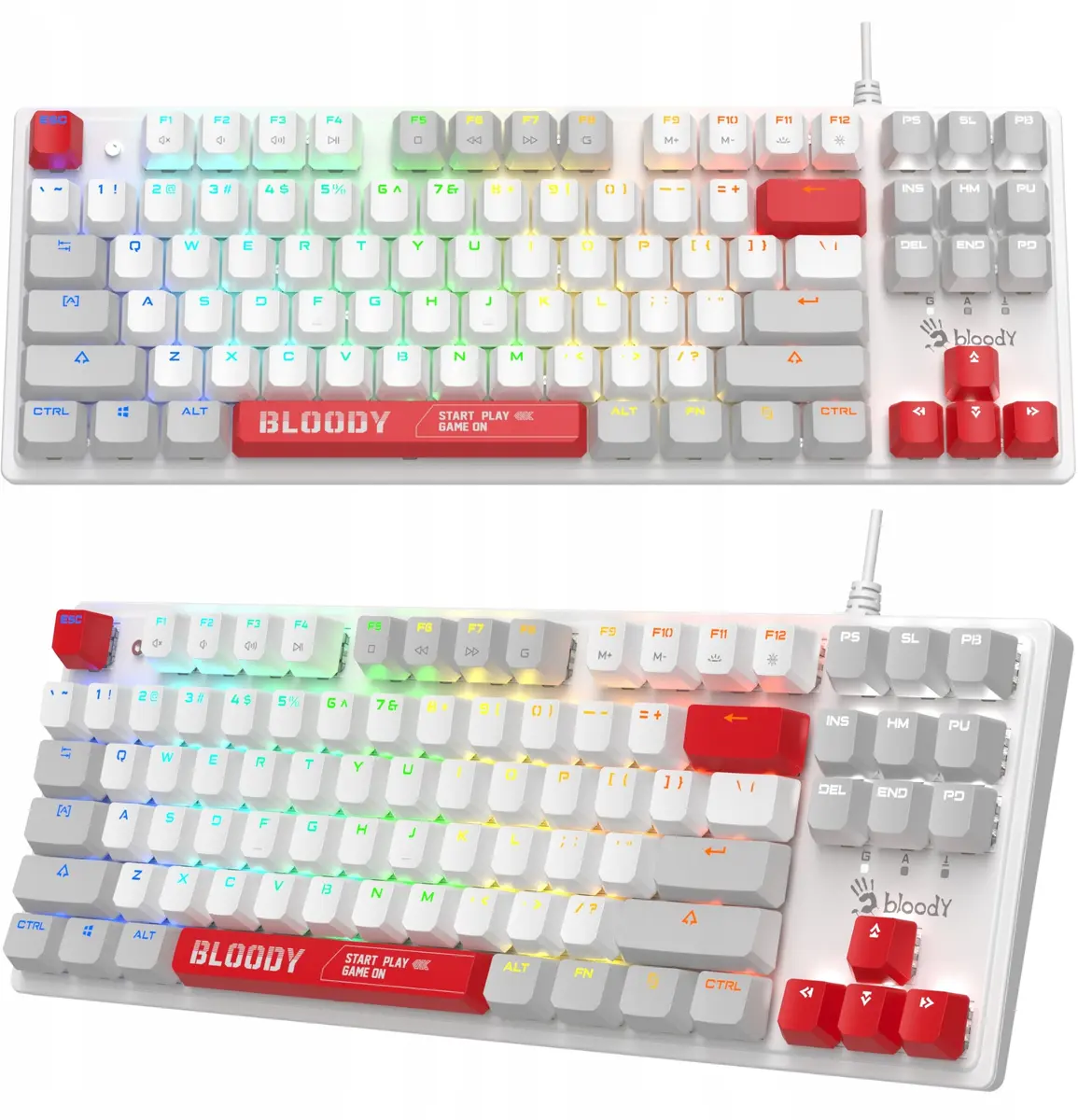
The A4Tech Bloody S310N Mechanical Keyboard Energy White BLMS Red 87 Keys is a compact tenkeyless mechanical keyboard featuring 87 keys and BLMS Red switches, built for responsive typing and gaming. It is compared against several alternative peripherals: Mechanical gaming keyboard Cherry MX 8.2 Pro TMR Wireless Tenkeyless 88 keys RGB USB + RF + Bluetooth QWERTY US International Black, Mechanical gaming keyboard PULSAR PCMK 2 HE Tenkeyless 87-key USB QWERTY RGB Black, Mechanical gaming keyboard Cherry K4V2 RGB Tenkeyless (UK, QWERTY, USB, RGB, 68 keys, 2 m cable), Mechanical Keyboard A4Tech Bloody S520N Pudding Black with BLMS Blue Switch, and Gaming mouse A4Tech Bloody S98 USB Sports Navy with BLMS Red Plus switches. While most compared items share mechanical switch technology and compact desktop footprints, they differ significantly in connectivity options, switch actuation types, layout sizes, and device categories (including a gaming mouse).
⚙️ The specifications comparison focuses on form factor, key count, switch technology, connectivity interfaces, and power options.
| Parameter | A4Tech Bloody S310N | Cherry MX 8.2 Pro TMR | PULSAR PCMK 2 HE | Cherry K4V2 RGB | A4Tech Bloody S520N | A4Tech Bloody S98 | Practical significance |
|---|
| Device type | Keyboard | Keyboard | Keyboard | Keyboard | Keyboard | Mouse | These peripherals serve different input roles ranging from text entry to cursor control. |
| Form factor / Keys | Tenkeyless, 87 keys | Tenkeyless, 88 keys | Tenkeyless, 87 keys | Tenkeyless, 68 keys | Pudding TKL, 87 keys | Gaming mouse | Compact keyboards save desk space, whereas the A4Tech Bloody S98 is a mouse rather than a keyboard. |
| Switch type | BLMS Red | Magnetic-mechanical | Magnetic-mechanical | Mechanical | BLMS Blue | BLMS Red Plus | Red switches offer linear feedback, blue switches provide an audible click, and magnetic switches allow advanced tuning. |
| Connectivity | Wired USB | USB + RF + Bluetooth | Wired USB | Wired USB | Wired USB | Wired USB | The Cherry MX model supports cable-free multi-device setups, while all other listed items use wired connections. |
◎ The suitability and use cases evaluation helps determine which product aligns best with specific user preferences and scenarios.
| Use case | Recommended product | Why |
|---|
| Standard desktop typing and gaming | A4Tech Bloody S310N Mechanical Keyboard Energy White BLMS Red 87 Keys | Delivers reliable linear mechanical feedback in a space-saving layout without paying for complex wireless modules. |
| Multi-device wireless connectivity | Mechanical gaming keyboard Cherry MX 8.2 Pro TMR Wireless Tenkeyless 88 keys RGB USB + RF + Bluetooth QWERTY US International Black | Supports Bluetooth, RF wireless, and wired modes for seamless switching between multiple hosts. |
| Advanced gaming precision | Mechanical gaming keyboard PULSAR PCMK 2 HE Tenkeyless 87-key USB QWERTY RGB Black | Features cutting-edge magnetic-mechanical switches tailored for fast and accurate keystrokes. |
| Maximum desk space saving | Mechanical gaming keyboard Cherry K4V2 RGB Tenkeyless (UK, QWERTY, USB, RGB, 68 keys, 2 m cable) | Employs a more compact 68-key layout to leave extra room for wide mouse movements. |
| Audible click and enhanced backlighting | Mechanical Keyboard A4Tech Bloody S520N Pudding Black with BLMS Blue Switch | Combines tactile blue switches with pudding keycaps for pronounced click feedback and vibrant light diffusion. |
| Precise gaming pointer control | Gaming mouse A4Tech Bloody S98 USB Sports Navy with BLMS Red Plus switches | Functions as a gaming mouse rather than a keyboard, making it ideal for accurate in-game aiming and navigation. |
Choose the A4Tech Bloody S310N Mechanical Keyboard Energy White BLMS Red 87 Keys if you need a straightforward, compact wired mechanical keyboard with linear switches for everyday typing and gaming. Alternative products are better suited for users who require wireless multi-device pairing, advanced magnetic switch technology, an ultra-compact 68-key layout, audible clicky switches, or a separate gaming mouse instead of a keyboard.