Save time and money with our discounts!
In cart {{totalProductsCount}} item(s)
Your cart is empty
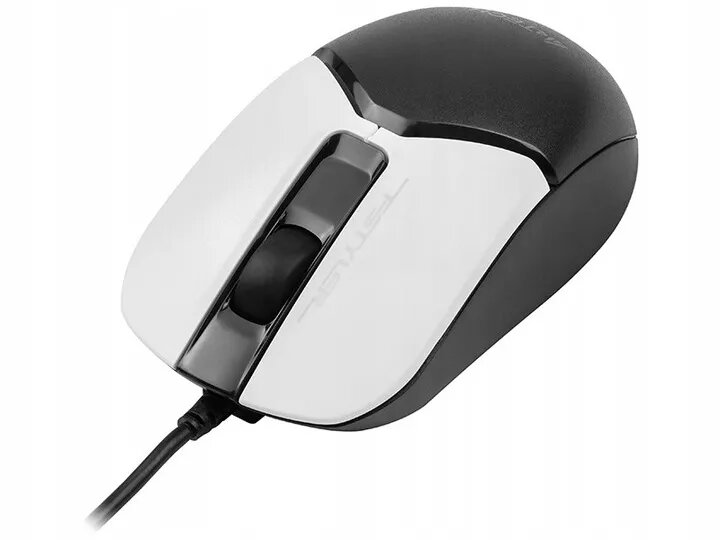
Mouse A4Tech FM12S Panda USB
The A4Tech FM12S Panda USB is a compact wired mouse that combines an ergonomic shell with a playful panda motif. Designed to deliver reliable tracking for everyday tasks, it uses a high-resolution optical sensor to provide smooth cursor movement on most desk surfaces. The USB connection supports plug-and-play operation without additional drivers, and the shape is contoured to suit prolonged use by right- or left-handed users depending on grip style.
The mouse offers precise optical tracking for consistent pointer control and low-latency input through a USB wired interface. Its ergonomic profile reduces hand strain during extended use, and the distinctive panda design adds a visual accent to workstations or home setups. Plug-and-play compatibility simplifies installation across a wide range of systems with no extra software required.
Connect the A4Tech FM12S Panda USB to an available USB port on your computer. Wait for the operating system to recognise the device; no driver installation is typically required. Place the mouse on a flat surface or a mouse pad and move it to control the cursor. Use the left and right buttons for standard clicking functions and the scroll wheel for vertical navigation. Adjust hand position for comfort and use normal click and drag gestures for selection and movement tasks.
For best tracking performance, use a clean, flat surface or a dedicated mouse pad. Avoid exposing the sensor to dust and debris, and disconnect the device by pulling the USB connector rather than the cable. If the pointer feels jittery, clean the underside of the mouse and check the surface for reflective materials that can interfere with the optical sensor.
{{highlightedFeature.featureTitle}}:
{{getProductFeatureValueById(product, highlightedFeature.featureId)}}