Save time and money with our discounts!
In cart {{totalProductsCount}} item(s)
Your cart is empty
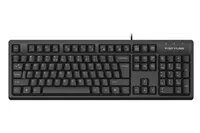
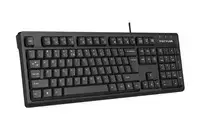
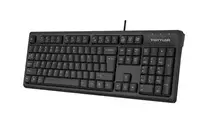
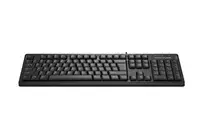
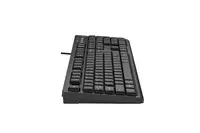
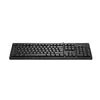
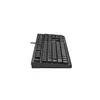
Wired multimedia office silent keyboard A4Tech FKS12, CZ/US layout, USB, membrane, black
The A4Tech FKS12 is a reliable wired multimedia office keyboard designed to provide a quiet and efficient typing experience. Featuring a membrane key structure, it minimizes noise during operation, making it an ideal choice for shared office environments or quiet home workspaces. The keyboard comes with a dual CZ/US layout, ensuring versatility for users who need to switch between different language inputs. With its plug-and-play USB connectivity, it is ready to use immediately upon connection to any standard PC or laptop.
The primary benefit of the A4Tech FKS12 is its silent membrane technology, which allows for comfortable, long-term typing without the distracting click sounds associated with mechanical keyboards. The integrated multimedia hotkeys provide quick and intuitive control over volume, playback, and other media functions, streamlining your workflow. Its durable construction and spill-resistant design ensure longevity, while the ergonomic layout promotes a natural hand position, reducing fatigue during extended periods of use.
This keyboard may not be the best choice for professional gamers who require mechanical switches with high tactile feedback and anti-ghosting capabilities. Additionally, users who prefer a wireless workspace may find the wired USB connection restrictive compared to Bluetooth or 2.4GHz wireless alternatives.
To use the A4Tech FKS12, simply insert the USB cable into an available port on your computer. The operating system will automatically detect the device and install the necessary drivers without requiring manual software installation. Once connected, the keyboard is ready for immediate use. You can utilize the dedicated multimedia keys located at the top of the keyboard to adjust audio levels or control media playback directly.
To maintain the keyboard's performance, keep the surface clean by using a soft, dry cloth. Avoid spilling liquids on the device, and store it in a dry environment to prevent internal damage to the membrane switches.
{{highlightedFeature.featureTitle}}:
{{getProductFeatureValueById(product, highlightedFeature.featureId)}}
{{ productComparisonGenerationError }}