Leave your address - as soon as the price of the product goes down, you'll know about it right away
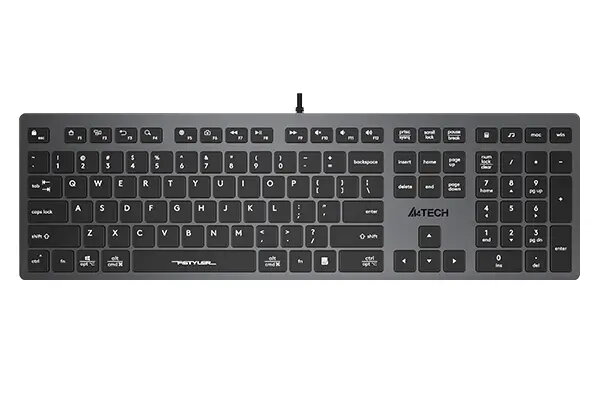
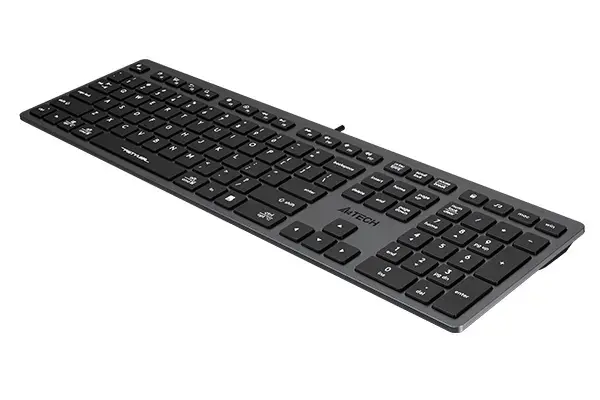
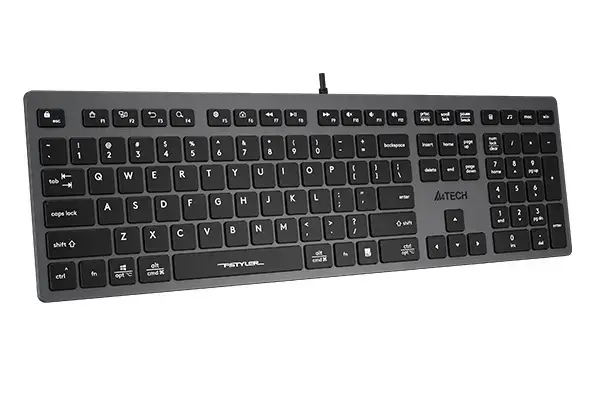
Keyboard A4Tech FX50 — Full-size (100%), Wired USB, Grey, 1.5 m cable
In cart {{totalProductsCount}} item(s)
Your cart is empty
Keyboard A4Tech FX50 — Full-size (100%), Wired USB, Grey, 1.5 m cable
Leave your address - as soon as the price of the product goes down, you'll know about it right away
Keyboard A4Tech FX50 — Full-size (100%), Wired USB, Grey, 1.5 m cable
The A4Tech FX50 is a full-size (100%) wired USB keyboard in grey, designed for reliable daily use at home and in the office. It offers a standard layout with a numeric keypad and Windows keys, providing familiar key spacing for typing, data entry and general productivity. The keyboard connects by plug-and-play USB and features a 1.5 m cable that allows flexible desktop placement. The package includes the keyboard only; a mouse is not included.
The FX50 combines a low-profile chocolate keycap design with a scissor switch structure for a smooth, tactile typing experience and a 1.5 mm actuation point to reduce key chatter. Twelve multimedia and internet functions are accessible via FN + F1–F12 for quick control of media playback, volume and browser actions. Anti-slippery pads on the base stabilise the keyboard during use to prevent unwanted movement or vibration. Compatibility with both Windows and Mac operating systems enables an easy layout swap between platforms.
Connect the keyboard to an available USB port on your computer using the attached 1.5 m cable; the device is recognised automatically by modern Windows and macOS systems. Use the standard key positions for typing and numeric input; press FN in combination with F1–F12 to access multimedia and browser functions. If you switch between operating systems, change the keyboard layout according to the system instructions to ensure correct modifier key mapping.
Place the keyboard on a flat, stable surface and ensure the anti-slippery pads make full contact to reduce movement. For prolonged typing sessions, adjust wrist position and desk height to maintain comfort. Keep the USB connector and cable clean and avoid sharp bends to extend cable life.
{{highlightedFeature.featureTitle}}:
{{getProductFeatureValueById(product, highlightedFeature.featureId)}}